Free implementation guide / 03
Build a Google Search Ads Test With a Cost Ceiling
Work backward from contribution, isolate intent and define the stop rule before buying traffic.
A Search Ads test with a documented loss limit.
A working landing page, verified conversion, customer economics and permission to spend.
Jump to the working checklist ↓Draft a campaign brief before opening an ad account.
Silent, captioned walkthrough of the practice lab. These are real screen recordings of an illustrative exercise.
Read the walkthrough
The demo uses a fictional gym offer, keyword themes, a total test budget and a review period, then downloads a brief. No Google Ads account is connected and no campaign or spend is created.
Build this: a bounded Google Search campaign test with an explicit cost ceiling and a conversion you have verified. This guide covers Search campaign structure, not every Google Ads campaign type. Account interfaces and match behavior change; review the current settings before publishing.
01Work backward from contribution
Calculate net revenue per customer minus direct delivery and other variable costs. Subtract the contribution you need to retain to get a planning CAC ceiling. Include expected refunds once. Fixed overhead, taxes and cash timing still matter.
For a lead business, multiply your allowable CAC by a defensible lead-to-customer rate to estimate a maximum cost per lead. Hypothetical example: $200 allowable CAC × 10% close rate = $20 per lead. If the click-to-lead rate is 5%, the implied CPC ceiling is $1. These are planning assumptions, not market benchmarks.
If you have no reliable conversion rates, use a small test to estimate them. Define the maximum total amount you can afford to lose before starting. A daily budget is a delivery setting, not automatically a hard lifetime stop. Understand the platform’s current billing rules and monitor actual spend.
02Separate intent instead of mixing everything
Create a tightly scoped test around one service and one customer intent. Keep branded and non-branded queries separable so existing brand demand does not hide weak acquisition performance. Do not add every keyword suggestion.
Start with a small set of clearly relevant keywords. Exact and phrase match do not mean purely literal matching: review search terms after traffic arrives. Negative keywords also have their own matching rules; do not assume they behave exactly like positive keywords.
Choose the locations you can actually serve and inspect presence-versus-interest options. Review network settings, language, devices and schedules. Separate settings you intend to test from defaults you accepted without checking.
SEE THE ACTUAL EXAMPLE
Write the test before spending
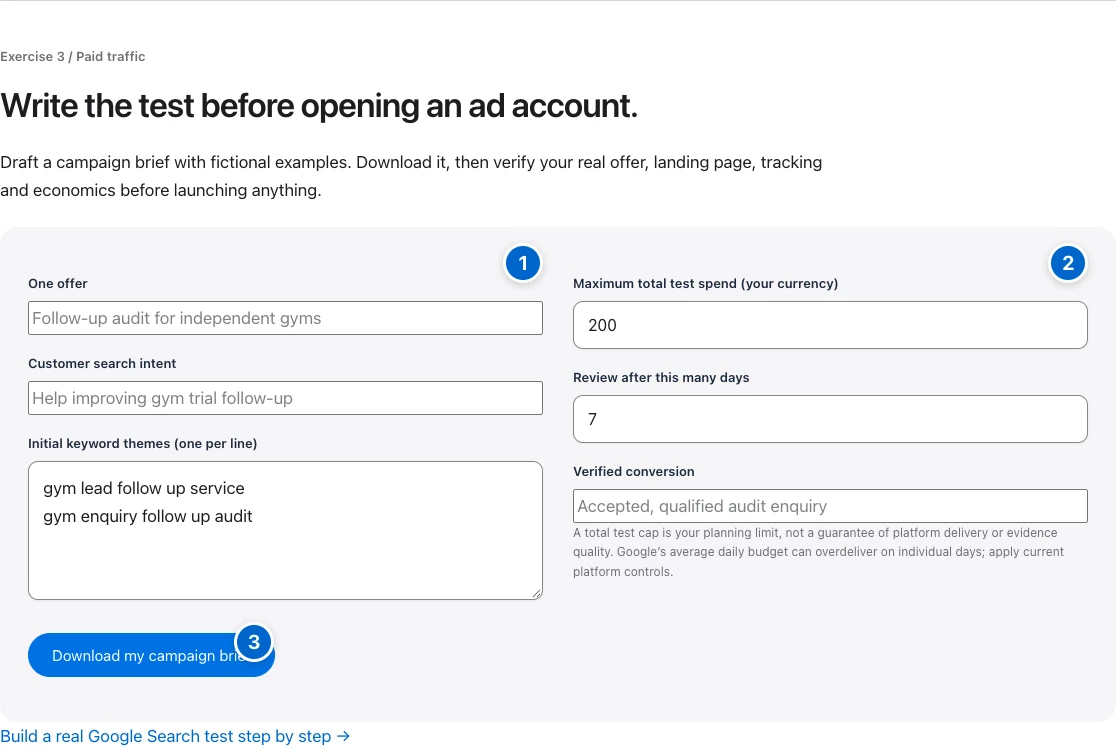
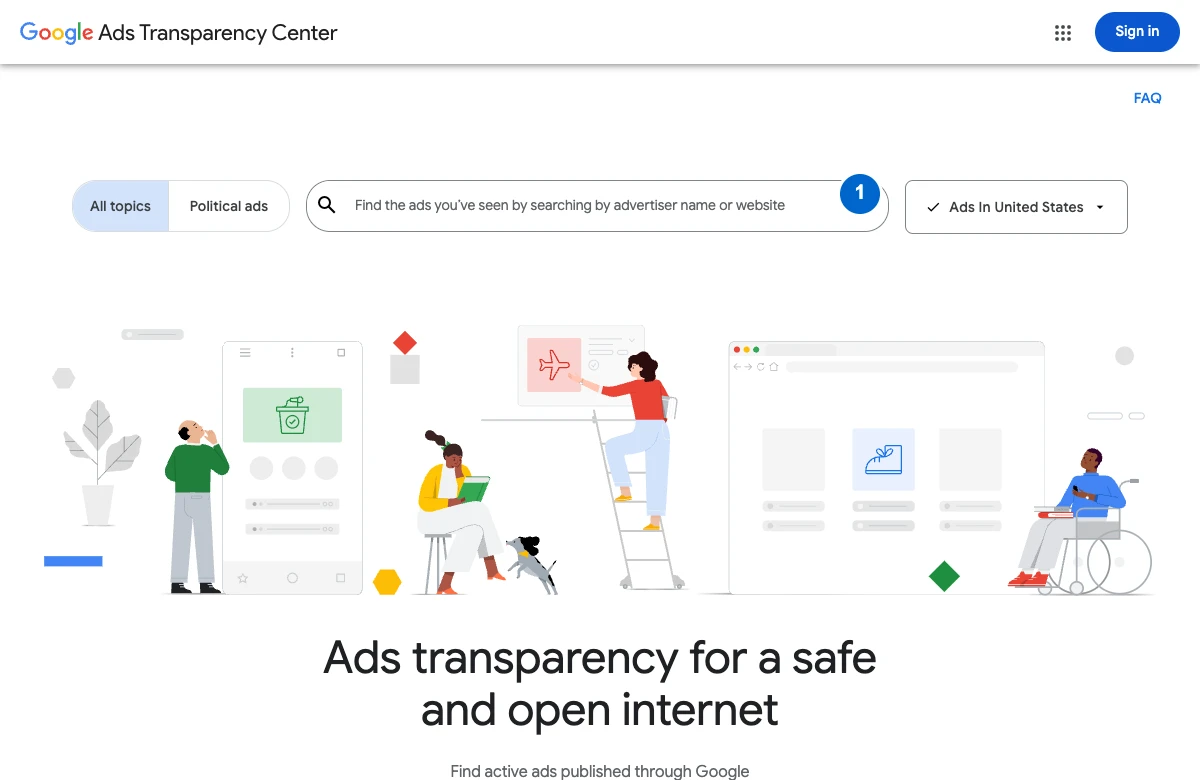
Your action: Use the brief to review the offer, landing page and tracking before configuring your real campaign.
Open the pictured tool or exercise →
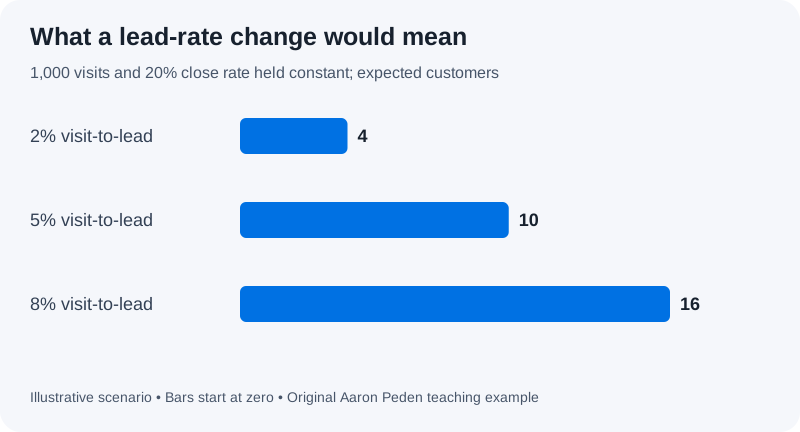
| Visit-to-lead rate | Expected customers |
|---|---|
| 2% | 4 |
| 5% | 10 |
| 8% | 16 |
03Make the ad and page say the same thing
Write ad assets around the searched problem, your real deliverable and a clear next step. Use substantiated claims only. Send the visitor to a page that delivers that exact promise, not a generic homepage.
Above the fold, make the service, customer fit and action understandable. Show scope and useful proof. Avoid forcing visitors through multiple unrelated offers. Check form behavior and the confirmation event on mobile before the campaign receives traffic.
Use stable campaign parameters for reporting. For example, utm_source=google, utm_medium=cpc and a documented campaign identifier. Keep naming consistent and do not put personal information in URL parameters. Review auto-tagging and analytics integration separately.
04Write the stop rule before launch
Create a test sheet with hypothesis, target intent, landing page, conversion, budget limit, owner and review date. Decide what would trigger an immediate pause: broken page, invalid tracking, wrong locations or clearly irrelevant search terms.
A small number of clicks with no conversion does not prove the channel cannot work. At the same time, uncertainty is not a reason to spend indefinitely. Stop at your precommitted loss limit, reconcile the data and choose the next bounded test.
Keep a change log. If you change keywords, bids, landing page and offer together, you will struggle to learn what mattered. Fix obvious breakage immediately; test strategic changes deliberately.
05Optimize toward customers, not cheap clicks
Review search terms for intent, qualified leads for fit, and customers for economics. Low CPC is not a win if the traffic cannot buy. Expensive clicks can still work if conversion and contribution support them.
Use automated bidding only with conversion definitions and signals you trust; review the current requirements for the strategy you choose. Do not feed a platform page views as if they were paying customers just to create more conversion volume.
Done when: the conversion is verified, economics are documented, the campaign and page match, and the test has a loss limit and review owner. Download the campaign-test sheet ↓
- 01Buying intent
Start with tightly related search terms.
- 02Message match
Align the ad, keyword and landing page.
- 03Accepted conversion
Test measurement before spending.
- 04Bounded review
Set a cap, review date and decision rule.
TRY YOUR NUMBERS / PLANNING MODEL
Can this funnel support your acquisition cost?
Use one period, one cohort and one currency. Defaults are illustrative assumptions, not your company’s results.
Formula: visits × lead rate × close rate = expected customers. Contribution after acquisition = customers × (net revenue − variable cost) − total acquisition cost. This is not net profit: fixed overhead, tax, financing and cash timing are excluded. Include attributable sales labor, creative and tools in acquisition cost; do not count a cost twice. Fractional customers are expected values, not observed people. Inputs stay in this browser and are not saved.
Make the idea concrete.
Hypothetical limits: $200 allowable CAC × 10% lead-to-customer rate = $20 allowable CPL. At 5% click-to-lead conversion, that implies $1 CPC. These are assumptions for a test—not market benchmarks or guaranteed performance.
Done means verified.
Check each item as you verify it. Progress stays in this page; download your checklist before leaving.