Marketing Blueprint / Lesson 15 of 16
Build Customer Onboarding Around the First Useful Outcome
Lesson 15 of 16. A tested purchase-to-activation handoff with ownership, milestones and exception handling. Six implementation steps, a worked example, an editable brief and a completion checklist.
By Aaron Peden · Published · Updated October 27, 2026
LESSON 15 / DELIVERY
What you will build: A tested purchase-to-activation handoff with ownership, milestones and exception handling.
The sale is the beginning of delivery. A customer can pay and still fail to receive value because access is broken, expectations are unclear or the next step belongs to nobody. Define the first useful outcome and build the shortest responsible path to it. A welcome email is a communication event, not proof that onboarding worked.
Bring the exact promise from Lesson 01 and the event discipline from Lesson 04. Onboarding differs by business: a service may need a completed intake and first review; software may need a successful core task; a physical product needs appropriate fulfillment and delivery. Choose the activation event that genuinely represents initial value.
- 01Define activation from the customer’s perspective
- 02Map the accepted purchase to the right owner
- 03Ask only for inputs needed to reach first value
- 04Design milestones and useful communication
- 05Test success, duplication and failure branches
- 06Review activation and improve the bottleneck
Before you start
Bring the working brief from the previous lesson. Keep your current offer, customer definition, authoritative sources and delivery constraints available. If a prerequisite is incomplete, return to that lesson before connecting a live workflow.
Use a private draft or safe testing environment for implementation. The examples below use fictional data and do not describe customer results at Rocktomic, YourPeptideBrand or WellStaq. Nothing in this lesson launches ads, sends outreach or changes your accounts.
BUILD STEP 01
Define activation from the customer’s perspective
Describe the first moment the customer can use or benefit from the thing they purchased. Separate it from account creation, welcome-email delivery and payment. Specify prerequisites and an appropriate target window without promising something delivery cannot support. If different customer types have different paths, define a small number of explicit routes rather than one overloaded checklist. Ask current customers where they first felt progress and where they got stuck.
Verify before moving on: Activation is an observable outcome with a definition, owner and target window.
BUILD STEP 02
Map the accepted purchase to the right owner
Start with an authoritative payment or commitment event. Verify product, scope, customer inputs and delivery route. Assign a responsible owner and backup for exceptions. Use stable order or customer identifiers to prevent duplicate onboarding. Keep payment details and sensitive inputs in the appropriate system rather than copying them into chat, email subjects or analytics. Reconcile uncertain events before triggering another shipment, account or appointment.
Verify before moving on: One accepted commitment creates one correctly scoped onboarding record with an accountable owner.
BUILD STEP 03
Ask only for inputs needed to reach first value
List the required information and explain why each item matters. Avoid a long intake form that requests everything you might eventually want. Use secure collection for sensitive documents and never request passwords by ordinary email. Show progress, save safe work where appropriate and make missing information visible to the owner. Provide a way to ask a question without restarting the entire process. Keep optional profile completion separate from the first useful task.
Verify before moving on: The customer can identify the next required action and complete it without unnecessary information sharing.
BUILD STEP 04
Design milestones and useful communication
Build a short sequence: confirmation, access or intake, first task, first useful result and next step. Each message should state what is complete, what happens next, who owns it and how to get help. Match the promised service level to actual staffing. Stop generic reminders once the milestone is complete. Include a recovery route for unavailable inventory, a missed appointment, a failed payment or an inaccessible file. Do not hide an operational failure behind a cheerful automated message.
Verify before moving on: The customer and owner can see the current state and the next action at every milestone.
BUILD STEP 05
Test success, duplication and failure branches
Run a safe internal journey through accepted purchase, access, intake and activation. Test an invalid input, duplicate payment notification, missing prerequisite and an unavailable owner. Confirm that a refund or cancellation changes the appropriate delivery state. Check on a phone and with keyboard navigation. Verify the customer receives the correct scope and that no duplicate account, shipment or billing action is created. Retain the test identifiers and dates.
Verify before moving on: A valid journey reaches first value once and failures reach a visible recovery queue.
BUILD STEP 06
Review activation and improve the bottleneck
Measure eligible customers, activation within the declared window, time to first value and reasons for nonactivation. Use a mature cohort so recent customers are not labeled failures before their window ends. Inspect distributions or individual delays rather than only an average that hides long waits. Connect onboarding feedback to offer clarity and delivery capacity. More reminders will not solve a missing permission, broken access or an impossible promise.
Verify before moving on: The next improvement addresses an observed delay or failure and has an owner and review date.
Build an exception queue, not another reminder
Create a view of customers unable to reach the next milestone, grouped by reason: missing input, access failure, payment uncertainty, unavailable delivery resource or internal delay. Each exception needs one owner, a next action and a due time. Do not send the same generic reminder to every category. A customer waiting for your team should receive an honest update, not a message implying they are holding up the process. Keep sensitive documents in approved systems and link to them by reference. Review the oldest unresolved exceptions and the total time to first value. Fix repeated causes in the product or intake flow instead of permanently staffing around preventable failure.
WORKED EXAMPLE / FICTIONAL INPUTS
See how the decisions fit together
Fictional service example: twenty customers purchase a cleanup review during a month. Activation means the customer receives the first scoped issue list after providing required records, within seven business days of complete intake. Four customers have not yet reached an eligible observation window and are reported separately. Of sixteen mature eligible customers, twelve activate within the target: 75%. Payment confirmation is not counted as activation. The four misses are grouped by missing input, internal delay and access failure so the team can fix the actual bottleneck.
Replace these assumptions with your own supported inputs. Keep unknowns visible and avoid treating this example as a benchmark, a forecast or a result you should expect.
A starting specification you can copy
Accepted purchase → scoped record → required intake → first useful result
Activation definition: [observable customer value]
Clock starts: [explicit eligibility condition]
Target window: [time unit and operating calendar]
Owner + backup + support route
Exceptions: duplicate / missing input / failed access / refund
Review: eligible cohort / activated in window / delay reasons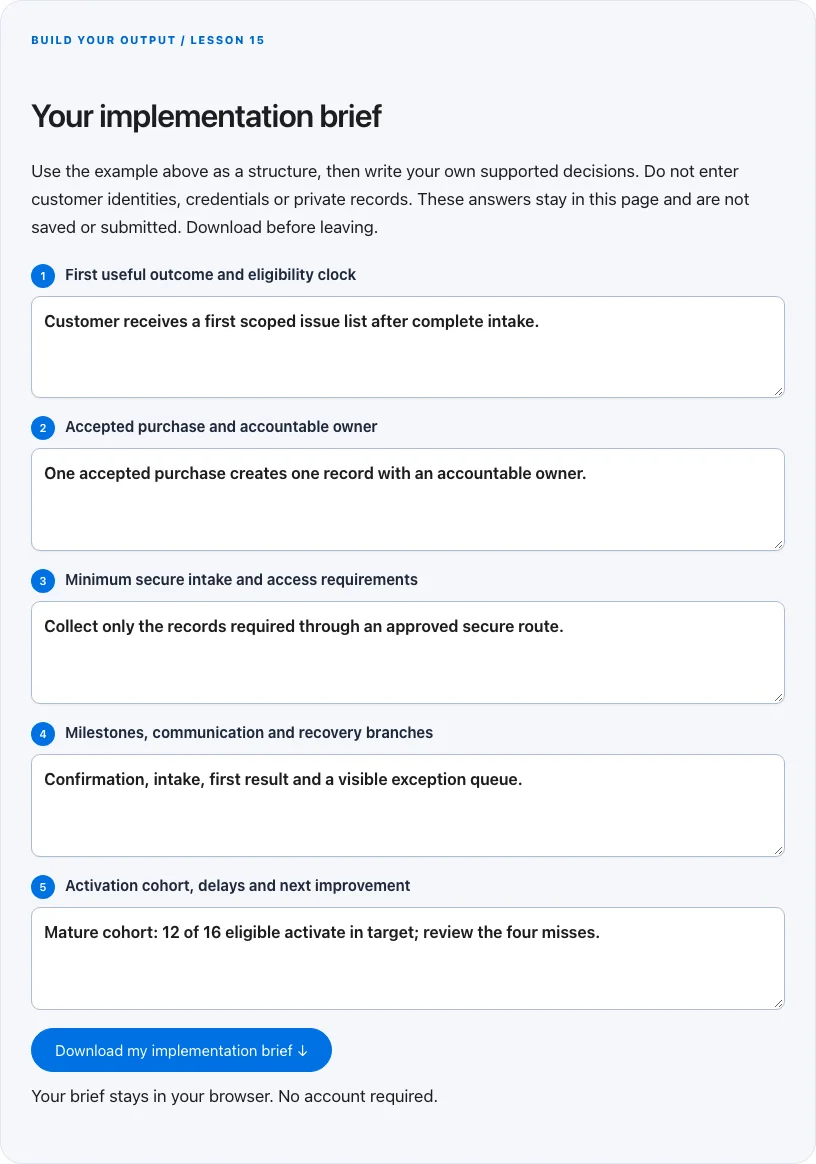
Troubleshoot before you add more tools
| What you notice | What to check next |
|---|---|
| Everyone gets a welcome email but few activate | Measure the real first useful task and remove access or intake friction. |
| Two people assume the other owns the customer | Assign one accountable owner and a backup at acceptance. |
| New customers make activation rates look worse | Use a matured eligible cohort and state when the observation clock starts. |
BUILD YOUR OUTPUT / LESSON 15
Your implementation brief
Use the example above as a structure, then write your own supported decisions. Do not enter customer identities, credentials or private records. These answers stay in this page and are not saved or submitted. Download before leaving.
Your brief stays in your browser. No account required.
OPTIONAL TOOLS / CHOOSE FOR THE JOB
Tools that fit this lesson
Affiliate disclosure: I may earn a commission if you purchase through these affiliate links. You do not need to buy a tool to complete this lesson. These are fit-based options, not a claim that I personally use every product or that a product caused our companies’ results. Check current features, pricing and terms before buying.
GoHighLevel — explore the tool ↗
Consider a CRM-centered workflow when you need pipeline ownership and connected follow-up. Map the states first and test the relevant integrations. A simpler tool may be enough for a single page or sequence.
Sender — explore the tool ↗
An email-delivery and automation option for permission-aware sequences. Verify authentication, unsubscribe, segmentation and the actual plan limits. Draft and test the logic before enrolling a real audience.
Calilio — explore the tool ↗
A business-phone option when the workflow needs accountable calling or routing. Confirm geography, number availability, recording/privacy requirements and usage charges. A phone system is unnecessary for a purely self-serve digital task.
Collect.chat — explore the tool ↗
An optional conversational intake interface. Test keyboard access, mobile layout, accepted-record routing and privacy. A conventional accessible form may be clearer for a short enquiry.
Free starting point: plan the workflow in a document or spreadsheet and test it using tools you already have. Buy a capability only when a verified constraint justifies it. Read the full affiliate disclosure.
Done means verified.
0 / 6 checkedCheck a line only when you have the evidence. A downloaded plan is a starting point; it does not prove that the live workflow works.
Verify all six checks to mark complete.
Review the evidence, then continue
Keep the output you created, the test date, the source of truth and the result of each completion check. Mark a system Live after the path is deployed and tested. Mark it Working only when adequate recent evidence meets a defined outcome target. If the lesson does not fit your business or stage, write the reason and a review trigger instead of pretending it is complete.
Choose one next action, assign an owner and set a review date. More tools, more traffic or more automation are not automatically the next step. The next lesson builds on this artifact, so resolve missing inputs or failed checks before expanding the system.
Go deeper when you need it
- Design a lead handoff that survives retries →
- Design a lead handoff that survives retries →
- Conversion tracking →
Primary references and further reading
Provider interfaces, limits and policies can change. Check the current official instructions for your account before implementing. This article teaches an operating method; it does not independently certify compliance or business performance.