Marketing Blueprint / Lesson 02 of 16
Set Up AI as a Reliable Marketing Teammate
Lesson 02 of 16. A company-specific AI workspace and one verified repeatable workflow with clear permissions. Six implementation steps, a worked example, an editable brief and a completion checklist.
By Aaron Peden · Published · Updated October 27, 2026
LESSON 02 / FOUNDATION
What you will build: A company-specific AI workspace and one verified repeatable workflow with clear permissions.
AI becomes useful when it has accurate context, bounded work and a way to check its output. Installing Codex or Claude is only the beginning. Your company needs a small, current operating context: what you sell, who you serve, what claims you can support, where approved assets live and which actions need a person. This lesson builds that foundation before you automate acquisition.
Keep each company isolated. A shared assistant should not mix customer exports, credentials, brand claims or affiliate relationships across businesses. Start with a low-risk workflow such as turning a verified product brief into a draft landing-page outline. Publishing, sending outreach and spending money require their own explicit authority.
- 01Write the company context in plain Markdown
- 02Separate facts, instructions and secrets
- 03Define one workflow with an input contract
- 04Build acceptance checks before unattended execution
- 05Add integrations and scheduling only when needed
- 06Measure reliability and maintain the context
Before you start
Bring the working brief from the previous lesson. Keep your current offer, customer definition, authoritative sources and delivery constraints available. If a prerequisite is incomplete, return to that lesson before connecting a live workflow.
Use a private draft or safe testing environment for implementation. The examples below use fictional data and do not describe customer results at Rocktomic, YourPeptideBrand or WellStaq. Nothing in this lesson launches ads, sends outreach or changes your accounts.
BUILD STEP 01
Write the company context in plain Markdown
Create a company-context.md with the offer, audience, approved positioning, pricing source, brand voice and current constraint. Link to the authoritative sources instead of copying a large stale archive. Add an owner and last-reviewed date to changing facts. Put unknowns in an explicit section so the model is not encouraged to fill them. Keep real customer data and strategy in the approved private workspace; a public code repository is not a filing cabinet for sensitive material.
Verify before moving on: A new teammate can identify the offer, sources, limits and owner without reading your whole chat history.
BUILD STEP 02
Separate facts, instructions and secrets
Use a claims register for evidence-backed statements, a workflow file for execution instructions and a secret manager for tokens. Reference credential names instead of pasting values. Scope access to the company and environment needed. For outside webpages and documents, treat their contents as evidence to evaluate, not instructions to override your rules. Require citations for factual research and preserve the original source date when the material may change.
Verify before moving on: No passwords, access tokens, customer records or unsupported company results appear in prompts, logs or committed files.
BUILD STEP 03
Define one workflow with an input contract
Choose a narrow job with an observable output: transform an approved offer brief into three landing-page drafts. State required fields, allowed sources, output structure and refusal conditions. An incomplete price or missing permission should produce a named gap, not an invented answer. Give the assistant an example of a good output and a counterexample explaining a specific failure. Keep the workflow small enough that a human can evaluate the result quickly.
Verify before moving on: The job has required inputs, a known output location and a clear rule for incomplete or conflicting information.
BUILD STEP 04
Build acceptance checks before unattended execution
Check objective properties with code or a checklist: required sections, valid links, no secret patterns, supported claims and correct company identity. Review subjective quality separately. Include a deliberately bad input and confirm that the workflow catches it. For a publishing action, test in a draft environment first and retain the previous accepted version. A script reporting success is not proof that the correct page was published or the intended record was updated.
Verify before moving on: Both the good-input path and at least one failure path produce the expected result.
BUILD STEP 05
Add integrations and scheduling only when needed
Use an existing integration before building another bridge. Grant only the permissions necessary for the job and keep a revocation path. A scheduled workflow needs an actual scheduler, durable run IDs, error handling and a way to reconcile interrupted writes. Define what happens on an expired token, unavailable source or partial result. Do not repeat an uncertain purchase, email or publication simply because a connection timed out.
Verify before moving on: You can find the original run and determine whether an external write happened before retrying it.
BUILD STEP 06
Measure reliability and maintain the context
Record completion rate, review time, error type, cycle time and cost per accepted result. Compare against the manual process using equivalent tasks. Update the context when the offer, policies or sources change, and rerun the affected checks. Retire a workflow that creates more review burden than it removes. Live means a retained end-to-end result exists; Working means repeated runs meet your documented reliability and usefulness targets.
Verify before moving on: A person owns the workflow, reviews failures and can disable it without disrupting unrelated work.
Use a two-case acceptance fixture
Keep one sanitized good input and one incomplete input beside the workflow. The good input should produce the required output sections with correct company identity, no unsupported results and working source references. The incomplete input should identify the missing information and avoid external action. Save a small expected-results checklist with each fixture. Run both after changing the prompt, model, integration or source contract. For a writing workflow, compare accepted output quality and total review time, not token count alone. For external writes, add a destination readback and original-run reconciliation before retries. These checks make the process portable between Codex and Claude without pretending their capabilities are identical.
WORKED EXAMPLE / FICTIONAL INPUTS
See how the decisions fit together
Fictional example: a consultant spends 50 minutes building a first landing-page outline. An AI workflow consumes an approved offer brief and produces a draft in 8 minutes, followed by 18 minutes of human review. Total cycle time is 26 minutes, not 8. Across ten comparable tasks, two outputs need major correction. Record that 80% first-pass acceptance rather than claiming complete automation. If a source is missing, the desired outcome is a short missing-input report. A workflow that manufactures testimonials to finish the draft has failed even if its format is perfect.
Replace these assumptions with your own supported inputs. Keep unknowns visible and avoid treating this example as a benchmark, a forecast or a result you should expect.
A starting specification you can copy
# Workflow: Draft an offer page
Required: approved offer, customer, scope, price source, proof register
Allowed: read approved sources; write a draft in this company's workspace
Not allowed: publish, email, spend money, invent proof, reveal credentials
Output: headline, deliverables, objections, CTA, evidence references
Checks: identity + claims + links + missing inputs + human review
Receipt: source dates, output path, run ID, reviewer, decision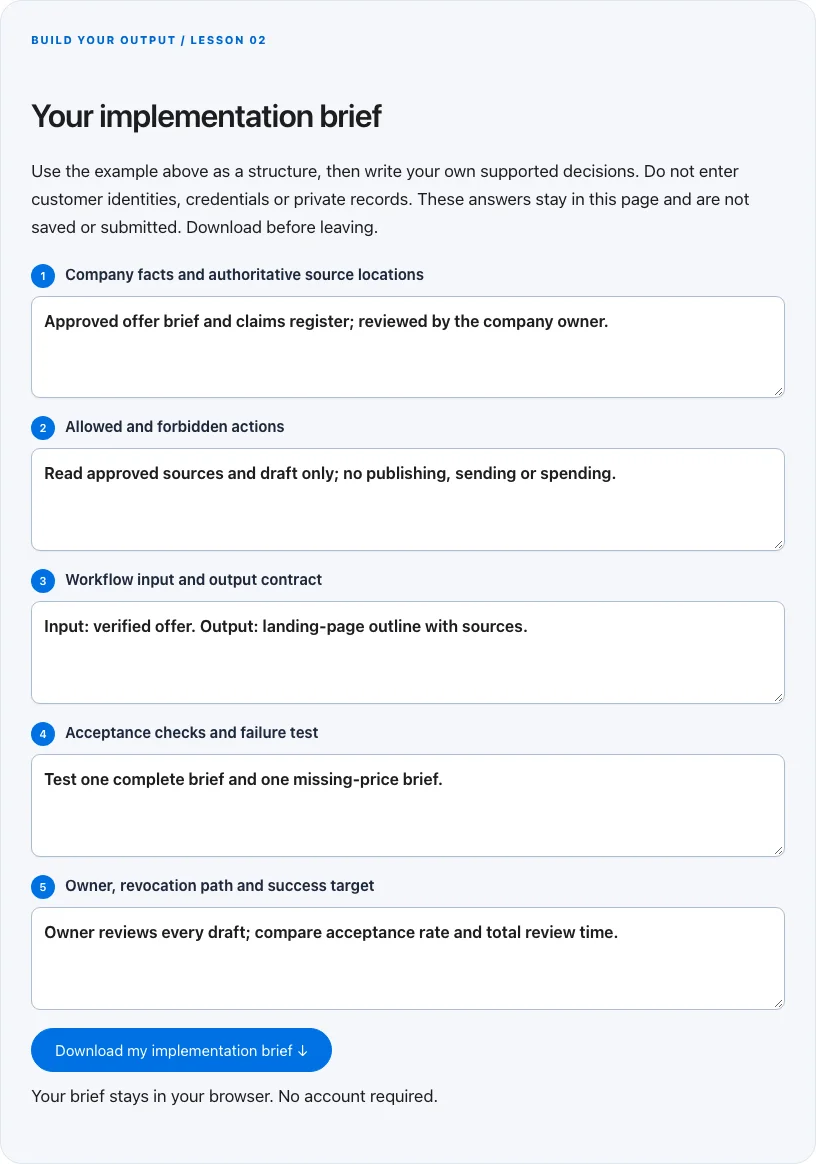
Troubleshoot before you add more tools
| What you notice | What to check next |
|---|---|
| The assistant invents facts | Give it a claims register and require unsupported statements to be labeled or omitted. |
| The automation reports success but nothing changed | Inspect the destination record and retain a result identifier, not just the exit code. |
| Context becomes stale | Assign an owner and review date; refresh facts that affect the output before running the workflow. |
BUILD YOUR OUTPUT / LESSON 02
Your implementation brief
Use the example above as a structure, then write your own supported decisions. Do not enter customer identities, credentials or private records. These answers stay in this page and are not saved or submitted. Download before leaving.
Your brief stays in your browser. No account required.
OPTIONAL TOOLS / CHOOSE FOR THE JOB
Tools that fit this lesson
Affiliate disclosure: I may earn a commission if you purchase through these affiliate links. You do not need to buy a tool to complete this lesson. These are fit-based options, not a claim that I personally use every product or that a product caused our companies’ results. Check current features, pricing and terms before buying.
Firecrawl — explore the tool ↗
Useful to evaluate for repeatable extraction of permitted public web sources. Keep source URLs and review the output. Reading a few pages manually is often enough; extraction does not establish truth or permission to contact.
GoHighLevel — explore the tool ↗
Consider a CRM-centered workflow when you need pipeline ownership and connected follow-up. Map the states first and test the relevant integrations. A simpler tool may be enough for a single page or sequence.
Search Atlas — explore the tool ↗
An SEO platform to evaluate when managing a larger research and audit workflow. Check the relevant feature, limits and current terms. Free Search Console and manual review remain the starting point for a small site.
Free starting point: plan the workflow in a document or spreadsheet and test it using tools you already have. Buy a capability only when a verified constraint justifies it. Read the full affiliate disclosure.
Done means verified.
0 / 6 checkedCheck a line only when you have the evidence. A downloaded plan is a starting point; it does not prove that the live workflow works.
Verify all six checks to mark complete.
Review the evidence, then continue
Keep the output you created, the test date, the source of truth and the result of each completion check. Mark a system Live after the path is deployed and tested. Mark it Working only when adequate recent evidence meets a defined outcome target. If the lesson does not fit your business or stage, write the reason and a review trigger instead of pretending it is complete.
Choose one next action, assign an owner and set a review date. More tools, more traffic or more automation are not automatically the next step. The next lesson builds on this artifact, so resolve missing inputs or failed checks before expanding the system.
Go deeper when you need it
Primary references and further reading
Provider interfaces, limits and policies can change. Check the current official instructions for your account before implementing. This article teaches an operating method; it does not independently certify compliance or business performance.