Marketing Blueprint / Lesson 03 of 16
Build a Website and Sales Funnel That Makes the Next Step Obvious
Lesson 03 of 16. One focused page with a tested visitor-to-enquiry or purchase journey. Six implementation steps, a worked example, an editable brief and a completion checklist.
By Aaron Peden · Published · Updated October 27, 2026
LESSON 03 / FOUNDATION
What you will build: One focused page with a tested visitor-to-enquiry or purchase journey.
Your website is the interface between a buyer’s question and your business process. Build one clear path before adding more pages, popups and automations. Bring the offer from Lesson 01 and the operating boundaries from Lesson 02. The page should explain the transaction, support the claim and route a real customer action to the right destination.
A funnel is a sequence, not a software subscription. A simple page, form and responsible follow-up can be enough. The standard is whether an eligible visitor can understand the offer, complete the action and receive what was promised on desktop and mobile.
- 01Map the journey before designing the page
- 02Write the first screen around the transaction
- 03Build a page structure that answers objections
- 04Implement accessible forms and clear states
- 05Connect the handoff and test every branch
- 06Run mobile, speed and launch checks
Before you start
Bring the working brief from the previous lesson. Keep your current offer, customer definition, authoritative sources and delivery constraints available. If a prerequisite is incomplete, return to that lesson before connecting a live workflow.
Use a private draft or safe testing environment for implementation. The examples below use fictional data and do not describe customer results at Rocktomic, YourPeptideBrand or WellStaq. Nothing in this lesson launches ads, sends outreach or changes your accounts.
BUILD STEP 01
Map the journey before designing the page
Draw source → landing page → action → accepted record → customer response. Label the promise at each transition. A search ad about a cleanup review should not land on a generic homepage requiring the reader to rediscover the offer. Choose one primary action and state what happens after it. Include a failure branch for invalid input or unavailable booking inventory. Decide who owns the accepted enquiry before you publish the form.
Verify before moving on: Every transition has a destination, a matching promise and an owner.
BUILD STEP 02
Write the first screen around the transaction
Use a headline that identifies the useful outcome, a short explanation of how it works and one concrete CTA. Show the deliverable or a genuine relevant image rather than decorative stock imagery. Place the most important qualification or constraint nearby. Avoid forcing every detail above the fold; give enough information to continue with confidence. On a narrow screen, the headline should remain readable without arbitrary word-by-word breaks or overlapping controls.
Verify before moving on: A reader can explain who this is for, what arrives and what the main button does.
BUILD STEP 03
Build a page structure that answers objections
Follow the buying questions: what is it, who is it for, what do I receive, why trust it, what does it cost and what happens next? Put evidence beside the claim instead of collecting unrelated badges. For complex services, explain scope, exclusions and qualification. For a product, make price, shipping or access details and refund terms findable before commitment. Do not hide an important condition inside a collapsed FAQ while the hero makes an unqualified promise.
Verify before moving on: The page answers the objections gathered during your offer test using specific, supported information.
BUILD STEP 04
Implement accessible forms and clear states
Give each input a persistent label, suitable type and autocomplete value. Ask only for information needed for the next step. Validate on the server as well as in the browser. Preserve safe input after a recoverable error and put the error beside the field. Disable accidental duplicate submission while retaining a retry path. Show success only after the backend accepts the record; a thank-you page alone is not an acceptance receipt.
Verify before moving on: Keyboard-only and mobile visitors can submit, recover from an error and understand the final status.
BUILD STEP 05
Connect the handoff and test every branch
Send one clearly labeled test enquiry to your actual receiving system. Verify the timestamp, source, owner and promised response. Test a missing required value, invalid address, double click and destination failure. If payments or messages have real consequences, use a safe testing mode and do not bill a customer or send unsolicited outreach. Keep test records separate from performance reporting. Check that failed submissions do not fire successful-conversion events.
Verify before moving on: One valid test is accepted once, one invalid test is rejected and the receiving owner can find the record.
BUILD STEP 06
Run mobile, speed and launch checks
Check the page at 320, 390 and desktop widths, with the keyboard open and with enlarged text. Confirm visible focus, adequate contrast and usable tap targets. Give images dimensions, compress large assets and avoid loading nonessential widgets before the main action. Verify HTTPS, canonical URL, crawl permissions and sitemap inclusion. After launch, inspect the public version rather than assuming the editor preview matches production.
Verify before moving on: The live page works at narrow widths, has no broken assets and delivers the promised next step.
Specify the form state machine
Represent the form as idle → validating → submitting → accepted or recoverable error. An accepted state requires an authoritative response, not merely a completed animation. While submitting, prevent duplicate clicks without trapping the visitor indefinitely if the request fails. On error, preserve safe values and show a useful next step. Give the submit control a descriptive label, keep focus visible and announce status in an appropriate live region. The server must validate independently and use a durable duplicate guard where repeat requests could create repeated records or charges. A browser-only disabled button helps usability but cannot guarantee idempotency across retries, tabs or devices.
WORKED EXAMPLE / FICTIONAL INPUTS
See how the decisions fit together
Fictional funnel: a visitor clicks a search result for a paid bookkeeping cleanup review, reads the exact scope and requests a call. Out of 1,000 qualified visits, 50 enquiries are accepted and 10 become paying customers. Visit-to-enquiry rate is 5%; accepted-enquiry-to-customer rate is 20%; visit-to-customer rate is 1%. These numbers describe different stages. Doubling button clicks without increasing accepted enquiries would not establish improvement. If the CRM has 49 records but analytics shows 80 conversions, repair duplication or event definitions before judging the page.
Replace these assumptions with your own supported inputs. Keep unknowns visible and avoid treating this example as a benchmark, a forecast or a result you should expect.
A starting specification you can copy
Source promise → matched page → primary CTA → accepted record → owner
Page sections: outcome / deliverables / evidence / scope / price / next step
Success event: lead_accepted after backend acceptance
Failure tests: invalid input / timeout / double click / reload
Mobile widths: 320, 390, 768; keyboard and focus checked
Launch evidence: public URL + test record ID + date + reviewer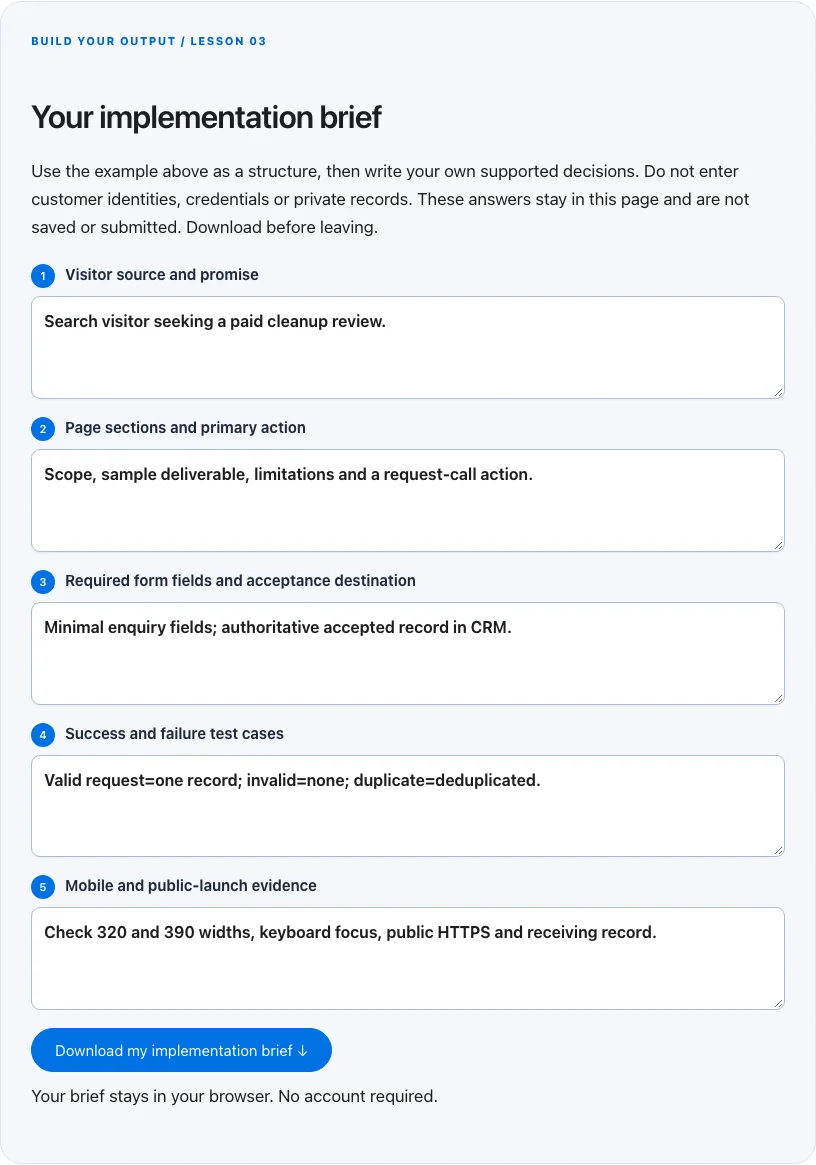
Troubleshoot before you add more tools
| What you notice | What to check next |
|---|---|
| Readers click but no record arrives | Trace the form request and backend response before changing copy. |
| The page is clean on desktop and broken on phones | Check fixed widths, oversized images and controls at 320 pixels with the real mobile menu. |
| Several plugins report the same conversion | Choose one event owner and deduplicate against the accepted backend record. |
BUILD YOUR OUTPUT / LESSON 03
Your implementation brief
Use the example above as a structure, then write your own supported decisions. Do not enter customer identities, credentials or private records. These answers stay in this page and are not saved or submitted. Download before leaving.
Your brief stays in your browser. No account required.
OPTIONAL TOOLS / CHOOSE FOR THE JOB
Tools that fit this lesson
Affiliate disclosure: I may earn a commission if you purchase through these affiliate links. You do not need to buy a tool to complete this lesson. These are fit-based options, not a claim that I personally use every product or that a product caused our companies’ results. Check current features, pricing and terms before buying.
Systeme.io — explore the tool ↗
A candidate for a simple funnel, asset-delivery and email workflow. Verify the exact plan capabilities and consent handling. Skip it if your current website and email tools already complete the job.
DropFunnels — explore the tool ↗
An option to evaluate for website and funnel building. Check editing, integration, accessibility and export needs against your actual page brief; existing WordPress hosting may already be sufficient.
GoHighLevel — explore the tool ↗
Consider a CRM-centered workflow when you need pipeline ownership and connected follow-up. Map the states first and test the relevant integrations. A simpler tool may be enough for a single page or sequence.
Collect.chat — explore the tool ↗
An optional conversational intake interface. Test keyboard access, mobile layout, accepted-record routing and privacy. A conventional accessible form may be clearer for a short enquiry.
Free starting point: plan the workflow in a document or spreadsheet and test it using tools you already have. Buy a capability only when a verified constraint justifies it. Read the full affiliate disclosure.
Done means verified.
0 / 6 checkedCheck a line only when you have the evidence. A downloaded plan is a starting point; it does not prove that the live workflow works.
Verify all six checks to mark complete.
Review the evidence, then continue
Keep the output you created, the test date, the source of truth and the result of each completion check. Mark a system Live after the path is deployed and tested. Mark it Working only when adequate recent evidence meets a defined outcome target. If the lesson does not fit your business or stage, write the reason and a review trigger instead of pretending it is complete.
Choose one next action, assign an owner and set a review date. More tools, more traffic or more automation are not automatically the next step. The next lesson builds on this artifact, so resolve missing inputs or failed checks before expanding the system.
Go deeper when you need it
Primary references and further reading
Provider interfaces, limits and policies can change. Check the current official instructions for your account before implementing. This article teaches an operating method; it does not independently certify compliance or business performance.