Marketing Blueprint / Lesson 08 of 16
Build an SEO Content System That Publishes Useful Work, Not Automated Noise
Lesson 08 of 16. A source-backed editorial pipeline with quality checks, technical SEO and a refresh process. Six implementation steps, a worked example, an editable brief and a completion checklist.
By Aaron Peden · Published · Updated October 27, 2026
LESSON 08 / ACQUISITION
What you will build: A source-backed editorial pipeline with quality checks, technical SEO and a refresh process.
An autoblog is useful when it automates repetitive production tasks while retaining editorial ownership. It is not a shortcut to publishing thousands of interchangeable pages. Choose questions your buyers actually need answered, create something useful for each question and verify the public result. Search traffic is an outcome to observe, not a guarantee made by a publishing schedule.
The pipeline in this lesson works manually first: research, brief, draft, evidence, review, publish, verify and refresh. Add automation only after each stage has a defined input, output and owner. Your AI workspace from Lesson 02 supplies context and boundaries; it does not establish that a draft is true.
- 01Build a topic map around the customer journey
- 02Create a brief with evidence and an artifact
- 03Draft with clear ownership and no invented experience
- 04Add visuals that make a task reproducible
- 05Publish with technical and editorial checks
- 06Review performance and maintain the library
Before you start
Bring the working brief from the previous lesson. Keep your current offer, customer definition, authoritative sources and delivery constraints available. If a prerequisite is incomplete, return to that lesson before connecting a live workflow.
Use a private draft or safe testing environment for implementation. The examples below use fictional data and do not describe customer results at Rocktomic, YourPeptideBrand or WellStaq. Nothing in this lesson launches ads, sends outreach or changes your accounts.
BUILD STEP 01
Build a topic map around the customer journey
List problems before, during and after purchase. Group related questions by intent and choose a useful primary page for each group. Search the live results to understand the expected answer and format, but do not copy competitors’ headings as your only research. Record the buyer, decision, source evidence and reason your page deserves to exist. Avoid producing separate pages for tiny keyword variations that share the same answer.
Verify before moving on: Every proposed article has a distinct reader problem, intent and destination in the topic map.
BUILD STEP 02
Create a brief with evidence and an artifact
Specify the question, concise answer, implementation steps, example, sources, visual and completion check. Decide what the reader will leave with: a worksheet, calculation, tested configuration or diagnosis. For technical claims, use current primary documentation and record the date. If the topic depends on firsthand experience, obtain the evidence or narrow the claim. Keyword tools can help prioritize investigation; volume estimates do not prove demand for your product or the accuracy of a draft.
Verify before moving on: The brief contains enough evidence and practical value to judge the article before writing it.
BUILD STEP 03
Draft with clear ownership and no invented experience
Give AI the approved brief, company context and cited source material. Require uncertainty to be visible. Do not ask it to write a personal success story, a customer case study or a tool review without the underlying experience and records. Keep the draft in an unpublished state. Check every number, quote, link and interface instruction. Use examples with fictional data where real data is unavailable and label them next to the example.
Verify before moving on: A named editor can trace material claims to sources and distinguish actual screenshots from illustrations.
BUILD STEP 04
Add visuals that make a task reproducible
Capture the real interface or the working exercise, crop around the relevant action and add numbered callouts. Caption the date, inputs and limits. A screenshot of a settings screen is not evidence that the setting is saved or effective. Pair charts with their data table, units and calculation method. Include descriptive alt text and a readable full-size version. Optimize image dimensions and loading so the guide remains usable on a phone.
Verify before moving on: Each visual helps the reader make a decision or complete a specific action.
BUILD STEP 05
Publish with technical and editorial checks
Use a stable descriptive URL, one H1, logical headings, a specific title and description, and self-consistent canonical and internal links. Add appropriate Article and breadcrumb metadata without fabricating reviews or results. Verify that the page returns 200, is not noindex and appears in the sitemap. Confirm it is reachable from the topic hub. Check the actual public page, downloads, mobile layout and interactive tools rather than relying on an editor save confirmation.
Verify before moving on: A reader and crawler can find the published article and all promised artifacts work.
BUILD STEP 06
Review performance and maintain the library
Use Search Console to see queries, impressions, clicks and indexing state. Separate an undiscovered URL from an indexed page with weak clicks. Evaluate traffic quality and customer outcomes, not just publishing count. Refresh changed instructions, broken links and obsolete screenshots. Merge overlapping pages when a single maintained answer is better, with suitable redirects. Keep a change log so you know what was altered before comparing performance across periods.
Verify before moving on: The article has a review owner, a refresh trigger and a documented relationship to other pages.
Use a publication acceptance gate
Before publication, require a unique reader question, verified claim sources, a practical artifact, valid internal links and a named editor. Run a broken-link and image check against the generated page. Inspect headings and metadata and ensure the canonical points to the intended production URL. Keep the article draft when evidence or ownership is missing. After publication, retain the public URL, source version, publication time and verification result. A scheduler running successfully is not the same as an article passing review or appearing in search. When updating, compare the live content with the intended change so a partial import does not silently erase an example or disclosure.
WORKED EXAMPLE / FICTIONAL INPUTS
See how the decisions fit together
Fictional example: a software consultant identifies twelve customer questions about enquiry tracking. Instead of producing twelve near-identical “best tracking” posts, the editor builds one accepted-event implementation guide, one attribution troubleshooting guide and a downloadable event specification. The implementation guide includes a real screenshot of a simulated accepted event, labeled as a practice example. Search Console later shows impressions for debugging queries but few clicks. The next investigation checks title alignment and intent, not an automatic order for fifty more posts.
Replace these assumptions with your own supported inputs. Keep unknowns visible and avoid treating this example as a benchmark, a forecast or a result you should expect.
A starting specification you can copy
Topic → buyer question → primary intent → canonical page
Brief → answer + sources + steps + artifact + evidence plan
Draft → factual review + rights + limitations + original value
Publish → 200 + canonical + internal links + sitemap + mobile QA
Review → query fit + indexed state + qualified outcomes
Refresh trigger → interface change / broken source / content overlap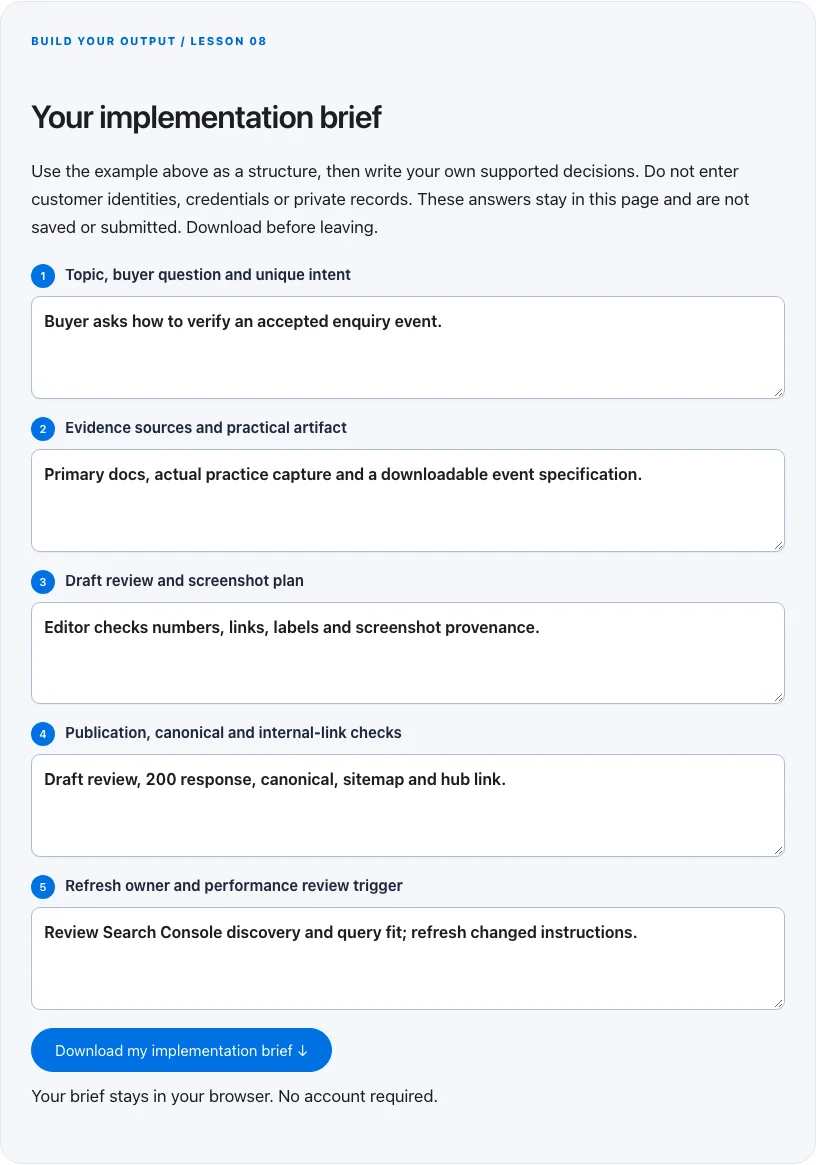
Troubleshoot before you add more tools
| What you notice | What to check next |
|---|---|
| Pages are published but not indexed | Check discovery, canonical, noindex, useful distinct content and Google inspection status; submission is not indexing. |
| Many articles repeat the same answer | Consolidate intent and strengthen a primary page rather than multiplying keyword variants. |
| AI invents a tool result or testimonial | Remove the claim and require a real capture or explicit illustrative example. |
BUILD YOUR OUTPUT / LESSON 08
Your implementation brief
Use the example above as a structure, then write your own supported decisions. Do not enter customer identities, credentials or private records. These answers stay in this page and are not saved or submitted. Download before leaving.
Your brief stays in your browser. No account required.
OPTIONAL TOOLS / CHOOSE FOR THE JOB
Tools that fit this lesson
Affiliate disclosure: I may earn a commission if you purchase through these affiliate links. You do not need to buy a tool to complete this lesson. These are fit-based options, not a claim that I personally use every product or that a product caused our companies’ results. Check current features, pricing and terms before buying.
SEOwriting.ai — explore the tool ↗
A drafting and publishing option to test after you define the editorial brief and review checks. Keep factual review and publishing control. Manual drafting or your existing AI workspace may already be enough.
SE Ranking — explore the tool ↗
An option for SEO research, tracking and audit workflows when their scale justifies a subscription. Validate recommendations against the real page and primary documentation; keyword estimates are not guaranteed demand.
Search Atlas — explore the tool ↗
An SEO platform to evaluate when managing a larger research and audit workflow. Check the relevant feature, limits and current terms. Free Search Console and manual review remain the starting point for a small site.
Firecrawl — explore the tool ↗
Useful to evaluate for repeatable extraction of permitted public web sources. Keep source URLs and review the output. Reading a few pages manually is often enough; extraction does not establish truth or permission to contact.
Free starting point: plan the workflow in a document or spreadsheet and test it using tools you already have. Buy a capability only when a verified constraint justifies it. Read the full affiliate disclosure.
Done means verified.
0 / 6 checkedCheck a line only when you have the evidence. A downloaded plan is a starting point; it does not prove that the live workflow works.
Verify all six checks to mark complete.
Review the evidence, then continue
Keep the output you created, the test date, the source of truth and the result of each completion check. Mark a system Live after the path is deployed and tested. Mark it Working only when adequate recent evidence meets a defined outcome target. If the lesson does not fit your business or stage, write the reason and a review trigger instead of pretending it is complete.
Choose one next action, assign an owner and set a review date. More tools, more traffic or more automation are not automatically the next step. The next lesson builds on this artifact, so resolve missing inputs or failed checks before expanding the system.
Go deeper when you need it
Primary references and further reading
Provider interfaces, limits and policies can change. Check the current official instructions for your account before implementing. This article teaches an operating method; it does not independently certify compliance or business performance.