Marketing Blueprint / Lesson 11 of 16
Use AI for Prospect Research Without Inventing Personalization
Lesson 11 of 16. A source-backed prospect brief with confidence labels and human approval before contact. Six implementation steps, a worked example, an editable brief and a completion checklist.
By Aaron Peden · Published · Updated October 27, 2026
LESSON 11 / ACQUISITION
What you will build: A source-backed prospect brief with confidence labels and human approval before contact.
AI-assisted outreach should reduce research effort while making claims easier to verify. It should not invent why someone needs your offer, fabricate a compliment or turn scraped personal details into manipulative personalization. Keep the workflow separated: research produces a draft brief, a human approves its relevance, and an authorized sending process handles contact.
Bring the AI boundaries from Lesson 02 and the channel rules from Lesson 09. This lesson improves the research layer. It does not bypass a website’s access controls, create permission to email or authorize unattended sending.
- 01Specify the account research question
- 02Collect bounded public evidence
- 03Separate observations from inferences
- 04Draft a relevant message with explicit limits
- 05Add human review and safe handoff
- 06Measure research accuracy and useful outcomes
Before you start
Bring the working brief from the previous lesson. Keep your current offer, customer definition, authoritative sources and delivery constraints available. If a prerequisite is incomplete, return to that lesson before connecting a live workflow.
Use a private draft or safe testing environment for implementation. The examples below use fictional data and do not describe customer results at Rocktomic, YourPeptideBrand or WellStaq. Nothing in this lesson launches ads, sends outreach or changes your accounts.
BUILD STEP 01
Specify the account research question
Start with a business problem your offer actually addresses. Define the company type, relevant role, permitted sources and exclusion criteria. Ask a question the source material can answer: does the company publicly describe a manual reporting process? Do not ask AI to infer private budgets, health information or personal vulnerability. Keep the output concise enough for a reviewer to verify. An unqualified account should exit the workflow before contact details are collected.
Verify before moving on: The brief can return Not a fit or Insufficient evidence without being treated as a failed run.
BUILD STEP 02
Collect bounded public evidence
Use official company pages, published documentation and legitimate business sources. Record URLs, retrieved dates and the exact excerpt supporting an observation. Respect access restrictions and the source’s terms. Do not circumvent logins or retrieve unrelated personal information. A tool that extracts pages can accelerate collection, but it cannot determine whether an inference is fair or a contact is lawful. Keep raw source material separate from the polished outreach suggestion so a reviewer can compare them.
Verify before moving on: Every proposed observation has a relevant source and an inspection date.
BUILD STEP 03
Separate observations from inferences
Use a structured output with fields for observed fact, source, inference, confidence and unknowns. Require the assistant to quote or summarize the supporting passage faithfully. Reject claims whose evidence is only a search snippet or an unverified third-party assertion. If the source says the company supports ecommerce stores, do not infer that it is struggling with churn. Confidence is a review aid, not a mathematical probability unless you have validated a model for that purpose.
Verify before moving on: The reviewer can remove the inference while preserving the factual observation.
BUILD STEP 04
Draft a relevant message with explicit limits
Use the approved observation to explain why the offered resource may be useful. Keep the offer modest and specific. Do not say you analyzed performance unless you actually did so with valid access and a defined method. Avoid references to sensitive personal information even if it appears publicly. Produce a draft only; do not connect the generation step directly to a sending action. Include a version marker so a changed source does not silently overwrite an already approved message.
Verify before moving on: The draft is honest about what you know and what you have not examined.
BUILD STEP 05
Add human review and safe handoff
Review company fit, source support, role relevance, channel eligibility, opt-out and suppression before approving contact. Use a stable record identifier to prevent duplicate research or sending. Separate approved, rejected and needs-review states. A missing source or contradictory fact should route to review, not an automatic retry with more aggressive language. Keep logs limited to the evidence needed, with appropriate access and retention for any personal business-contact data.
Verify before moving on: Only approved, eligible records can reach a separately authorized sending queue.
BUILD STEP 06
Measure research accuracy and useful outcomes
Audit a sample of briefs against the source pages. Count unsupported claims, wrong-company matches, stale sources, review time and accepted relevant opportunities. Track false positives as well as time saved. A research workflow can be technically reliable and commercially unhelpful if it selects the wrong accounts. Update the criteria when reviewers repeatedly reject the same pattern. Keep the sending and customer-outcome metrics separate from the research acceptance rate.
Verify before moving on: The workflow has a measurable quality target and can be disabled if accuracy or relevance deteriorates.
Require structured evidence, not a confidence adjective
Use a compact record with observed fact, exact source, retrieval date, inference and reviewer decision. Set a hard rule that missing or contradictory evidence routes to review. Ask the assistant to cite the passage that supports the opening sentence and list what it cannot know from that page. Do not allow a generated confidence label to replace reading the evidence. Keep research, message generation and sending as separate permissions. Record the approved version so changed source material does not silently alter the text after approval. Test the workflow against a wrong-company page and a stale source; both should be caught before contact.
WORKED EXAMPLE / FICTIONAL INPUTS
See how the decisions fit together
Fictional example: AI reads an agency’s public services page and records that it offers monthly client reports. A source-backed observation is “your services page includes monthly reporting.” An unsupported inference is “your team wastes 20 hours every week on reporting.” The message offers a reporting QA checklist without claiming knowledge of internal costs. A reviewer checks the source, audience fit and channel eligibility before approving a single contact. If the agency has changed its services page, the old brief becomes stale rather than remaining permanently approved.
Replace these assumptions with your own supported inputs. Keep unknowns visible and avoid treating this example as a benchmark, a forecast or a result you should expect.
A starting specification you can copy
account_id: demo-agency-001
observation: public services page lists monthly reporting
source_url: [official public page]
retrieved_on: [date]
inference: reporting workflow resource may be relevant
unknowns: current tooling, internal workload, buying interest
review: factual support / relevance / channel / suppression
output_state: needs_review | approved | rejected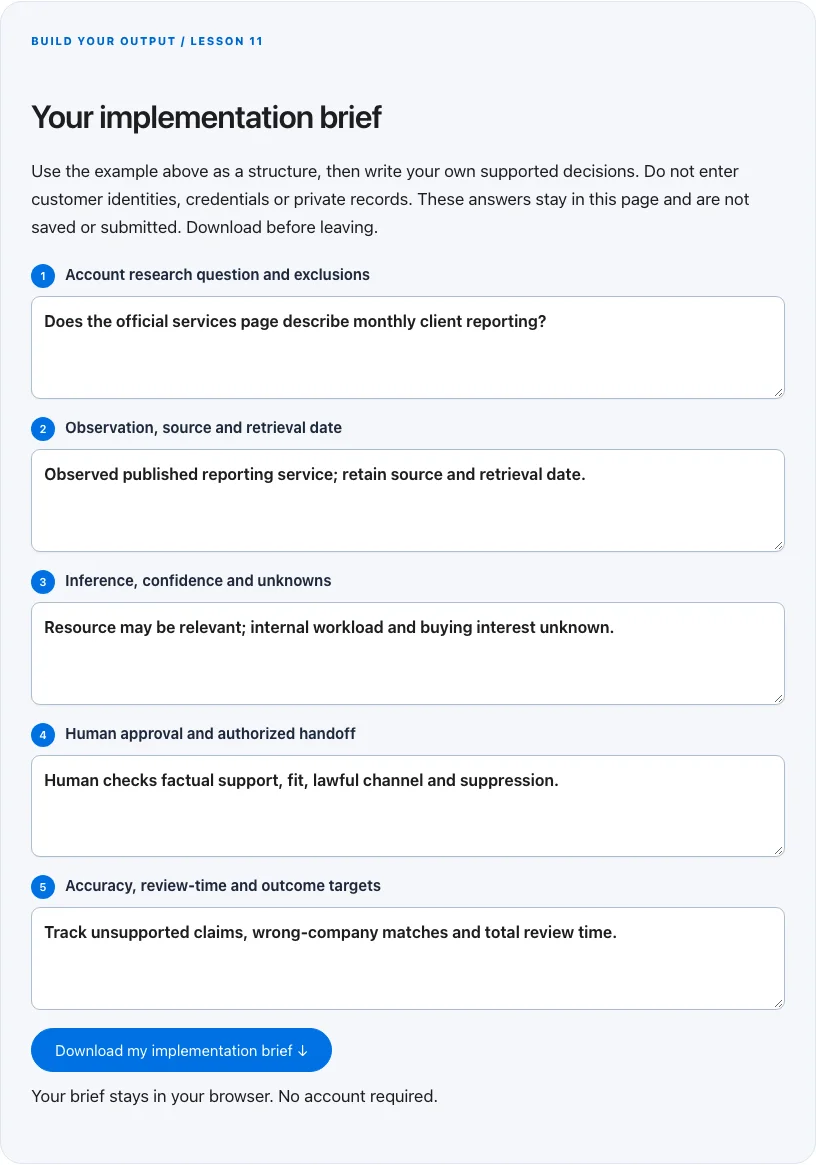
Troubleshoot before you add more tools
| What you notice | What to check next |
|---|---|
| AI writes convincing but unsupported personalization | Require source excerpts and reject inferences that exceed them. |
| The same account receives repeated drafts or contact | Use stable IDs and reconcile existing records before generating or sending again. |
| Research is accurate but opportunities are poor | Revisit the account hypothesis and qualified-outcome definition rather than only tuning prompts. |
BUILD YOUR OUTPUT / LESSON 11
Your implementation brief
Use the example above as a structure, then write your own supported decisions. Do not enter customer identities, credentials or private records. These answers stay in this page and are not saved or submitted. Download before leaving.
Your brief stays in your browser. No account required.
OPTIONAL TOOLS / CHOOSE FOR THE JOB
Tools that fit this lesson
Affiliate disclosure: I may earn a commission if you purchase through these affiliate links. You do not need to buy a tool to complete this lesson. These are fit-based options, not a claim that I personally use every product or that a product caused our companies’ results. Check current features, pricing and terms before buying.
Firecrawl — explore the tool ↗
Useful to evaluate for repeatable extraction of permitted public web sources. Keep source URLs and review the output. Reading a few pages manually is often enough; extraction does not establish truth or permission to contact.
Snov.io — explore the tool ↗
A prospect-research and workflow option for a narrowly relevant business audience. Verification is not consent; independently check lawful contact, source quality and suppression. A small manually researched cohort may be preferable.
GoHighLevel — explore the tool ↗
Consider a CRM-centered workflow when you need pipeline ownership and connected follow-up. Map the states first and test the relevant integrations. A simpler tool may be enough for a single page or sequence.
Free starting point: plan the workflow in a document or spreadsheet and test it using tools you already have. Buy a capability only when a verified constraint justifies it. Read the full affiliate disclosure.
Done means verified.
0 / 6 checkedCheck a line only when you have the evidence. A downloaded plan is a starting point; it does not prove that the live workflow works.
Verify all six checks to mark complete.
Review the evidence, then continue
Keep the output you created, the test date, the source of truth and the result of each completion check. Mark a system Live after the path is deployed and tested. Mark it Working only when adequate recent evidence meets a defined outcome target. If the lesson does not fit your business or stage, write the reason and a review trigger instead of pretending it is complete.
Choose one next action, assign an owner and set a review date. More tools, more traffic or more automation are not automatically the next step. The next lesson builds on this artifact, so resolve missing inputs or failed checks before expanding the system.
Go deeper when you need it
- Design a lead handoff that survives retries →
- Build a sales pipeline you can diagnose →
- Turn customer questions into a content plan →
Primary references and further reading
Provider interfaces, limits and policies can change. Check the current official instructions for your account before implementing. This article teaches an operating method; it does not independently certify compliance or business performance.