Marketing Blueprint / Lesson 09 of 16
Build a Targeted Cold Email Process With Relevant Messages and Clear Stop Rules
Lesson 09 of 16. A small researched prospect cohort, honest message and tested reply/suppression workflow. Six implementation steps, a worked example, an editable brief and a completion checklist.
By Aaron Peden · Published · Updated October 27, 2026
LESSON 09 / ACQUISITION
What you will build: A small researched prospect cohort, honest message and tested reply/suppression workflow.
Cold email is not the same as a permission-based newsletter. Research relevance, applicable rules and provider terms before contacting anyone. A publicly visible address is not automatic permission to market in every jurisdiction. Email verification can reduce technical errors; it does not create consent or prove that a person wants your offer.
Start with a small, specific prospect cohort and a useful reason for reaching out. This lesson creates the research and operating brief. It does not send messages or authorize a bulk campaign. Your system should make it easier to stop contacting the wrong person, not merely make it easier to send more.
- 01Define a narrow account hypothesis
- 02Check channel rules and sending readiness
- 03Research a specific, verifiable reason
- 04Write a short message with a low-friction ask
- 05Test handling before contacting a cohort
- 06Judge qualified conversations and economics
Before you start
Bring the working brief from the previous lesson. Keep your current offer, customer definition, authoritative sources and delivery constraints available. If a prerequisite is incomplete, return to that lesson before connecting a live workflow.
Use a private draft or safe testing environment for implementation. The examples below use fictional data and do not describe customer results at Rocktomic, YourPeptideBrand or WellStaq. Nothing in this lesson launches ads, sends outreach or changes your accounts.
BUILD STEP 01
Define a narrow account hypothesis
Choose a business type, visible problem and role likely to own that problem. Write inclusion and exclusion criteria before collecting contacts. Use relevant published business sources and keep the source URL and observation date. Do not infer private personal information or invent a role based on a first name. Avoid sensitive personal targeting. Separate the company-fit hypothesis from the evidence that a particular person is the appropriate contact.
Verify before moving on: Each prospect has a source-backed business fit and a reason the selected role is relevant.
BUILD STEP 02
Check channel rules and sending readiness
Review applicable anti-spam and privacy requirements for sender and recipient jurisdictions, plus the email provider’s terms. Some recipients or regions require prior consent. Establish your identification, contact address, opt-out route and suppression process before sending. Authenticate the domain with provider-issued records and test a received message. Do not rotate domains or disguise identity to evade complaints, blocks or provider limits. If the legal or permission basis is unclear, stop that segment and use another acquisition route.
Verify before moving on: The operator can explain why the intended contact is allowed and how the recipient can stop it.
BUILD STEP 03
Research a specific, verifiable reason
Look for an observable business condition related to the offer: a relevant public product launch, a missing published integration or a workflow described on the company’s own site. Separate the observation from your inference. “Your page lists three booking steps” is different from “you are losing thousands in revenue.” Do not pretend to have run an audit you did not perform. Keep a human review checkpoint for any personalized claim before the contact enters a sending queue.
Verify before moving on: The opening sentence can be traced to a legitimate current source and does not exaggerate its significance.
BUILD STEP 04
Write a short message with a low-friction ask
Identify yourself, explain the relevant observation, offer a useful next step and make opting out easy. Avoid deceptive subject lines, fake reply prefixes or artificial familiarity. Do not attach a large unsolicited file or conceal the destination behind an ambiguous link. A plain answer to a relevant question may be more appropriate than a meeting request. Keep the promise consistent with your actual delivery capacity and avoid guaranteed outcomes unsupported by evidence.
Verify before moving on: The recipient can understand who you are, why this message is relevant and how to decline.
BUILD STEP 05
Test handling before contacting a cohort
Use internal addresses to test delivery, reply routing, opt-out and invalid-address handling. Set one contact owner and stop sequences after a reply, opt-out, complaint or disqualification. Verify deduplication across lists and campaigns. Keep a central suppression record with appropriate access and retention. Do not re-add suppressed contacts during a later import. Set a conservative cohort size and review window, and pause when adverse signals indicate a relevance, permission or deliverability problem.
Verify before moving on: Every stop event prevents future automated contact across the intended system, not only one list.
BUILD STEP 06
Judge qualified conversations and economics
Record delivered contacts, relevant replies, qualified opportunities, customers and time spent researching. Exclude automatic replies and opt-outs from positive replies. Track bounce and complaint signals as safety and quality constraints. Calculate customer acquisition cost including research and sales labor, not just software fees. With small samples, learn from the actual replies instead of treating a single response as a repeatable conversion rate. Expand only when relevance, permission, capacity and economics remain acceptable.
Verify before moving on: The review uses a mature cohort, includes labor and states what would cause you to stop.
Keep the research ledger small and defensible
Use columns for account, role, source URL, observed business fit, relevant resource, channel eligibility, review decision, last contact and suppression state. Restrict access and retain information only as needed for the documented purpose. Avoid storing unrelated personal details just because an extraction tool found them. A verifier’s deliverable status is a technical signal, not a legal basis or proof of interest. Before a send, check the current suppression state again, because a contact may opt out after the list was exported. A low-volume, high-relevance process is easier to diagnose than a large automated sequence whose sources, claims and permissions nobody can explain.
WORKED EXAMPLE / FICTIONAL INPUTS
See how the decisions fit together
Fictional example: a consultant researches ten independent ecommerce agencies that publicly describe a manual client-reporting process. Three do not fit after review and are excluded. Seven relevant businesses receive a short, lawful message offering a sample reporting checklist. Two reply, one opts out and one asks a qualified question. The opt-out is suppressed; the relevant reply goes to a person, not another automated sales pitch. Research and response time are included in acquisition cost. The example illustrates workflow discipline, not a recommended universal response-rate benchmark.
Replace these assumptions with your own supported inputs. Keep unknowns visible and avoid treating this example as a benchmark, a forecast or a result you should expect.
A starting specification you can copy
Account inclusion / exclusion criteria
Contact role + published source + observed date
Permitted channel basis + provider requirements
Observation: [specific fact] / inference: [clearly qualified]Message: identity → relevance → useful offer → easy decline
Stop: reply / opt-out / complaint / disqualification
Review: qualified opportunities + labor + cost + harm signals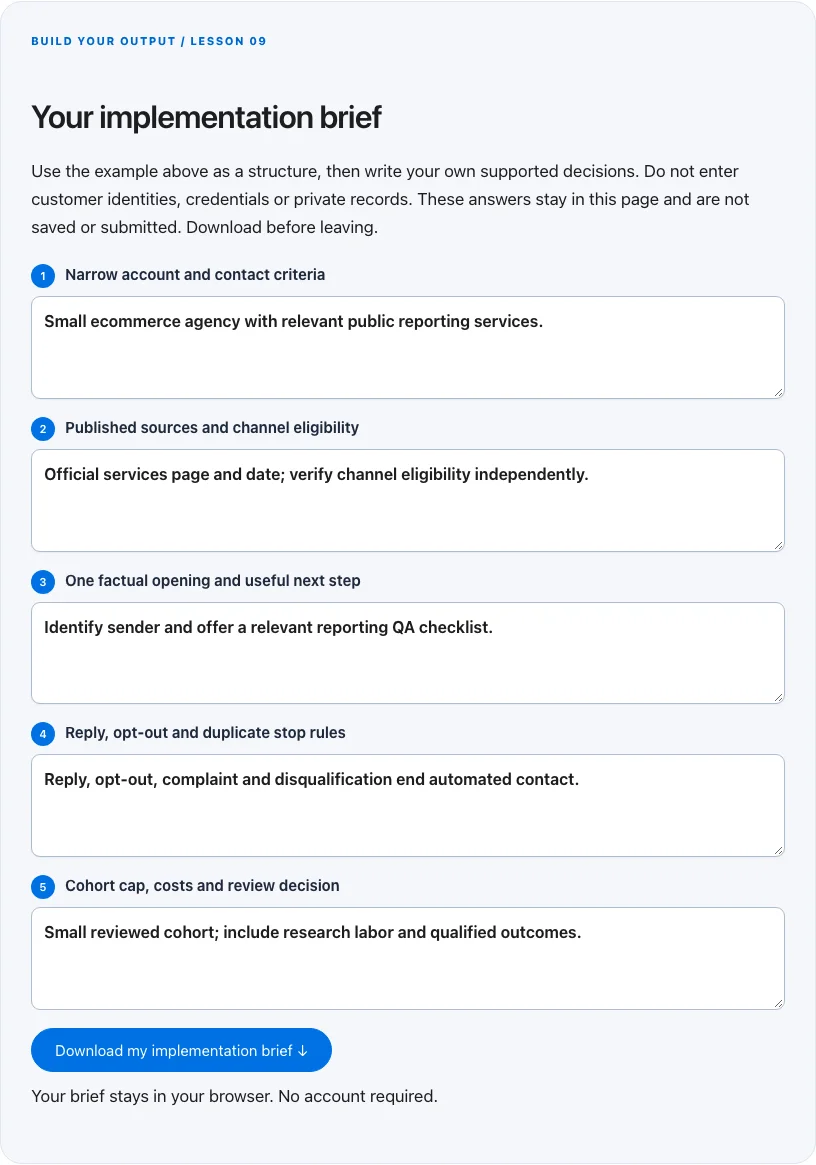
Troubleshoot before you add more tools
| What you notice | What to check next |
|---|---|
| The list is large but relevance is weak | Shrink the account hypothesis and inspect source-backed fit before adding more contacts. |
| Replies are mostly opt-outs | Pause and review relevance, permission and copy; do not solve it by sending from another domain. |
| Positive replies receive more automated pitches | Make reply detection a central exit condition with a human owner. |
BUILD YOUR OUTPUT / LESSON 09
Your implementation brief
Use the example above as a structure, then write your own supported decisions. Do not enter customer identities, credentials or private records. These answers stay in this page and are not saved or submitted. Download before leaving.
Your brief stays in your browser. No account required.
OPTIONAL TOOLS / CHOOSE FOR THE JOB
Tools that fit this lesson
Affiliate disclosure: I may earn a commission if you purchase through these affiliate links. You do not need to buy a tool to complete this lesson. These are fit-based options, not a claim that I personally use every product or that a product caused our companies’ results. Check current features, pricing and terms before buying.
Snov.io — explore the tool ↗
A prospect-research and workflow option for a narrowly relevant business audience. Verification is not consent; independently check lawful contact, source quality and suppression. A small manually researched cohort may be preferable.
GoHighLevel — explore the tool ↗
Consider a CRM-centered workflow when you need pipeline ownership and connected follow-up. Map the states first and test the relevant integrations. A simpler tool may be enough for a single page or sequence.
Free starting point: plan the workflow in a document or spreadsheet and test it using tools you already have. Buy a capability only when a verified constraint justifies it. Read the full affiliate disclosure.
Done means verified.
0 / 6 checkedCheck a line only when you have the evidence. A downloaded plan is a starting point; it does not prove that the live workflow works.
Verify all six checks to mark complete.
Review the evidence, then continue
Keep the output you created, the test date, the source of truth and the result of each completion check. Mark a system Live after the path is deployed and tested. Mark it Working only when adequate recent evidence meets a defined outcome target. If the lesson does not fit your business or stage, write the reason and a review trigger instead of pretending it is complete.
Choose one next action, assign an owner and set a review date. More tools, more traffic or more automation are not automatically the next step. The next lesson builds on this artifact, so resolve missing inputs or failed checks before expanding the system.
Go deeper when you need it
- Build a sales pipeline you can diagnose →
- Prepare a permission based email campaign →
- Customer acquisition cost →
Primary references and further reading
Provider interfaces, limits and policies can change. Check the current official instructions for your account before implementing. This article teaches an operating method; it does not independently certify compliance or business performance.