Practical software tutorial / build and verify
Build a lead-magnet funnel in Systeme.io—and test the full delivery path
Build an opt-in page, a useful thank-you page and a resource-delivery email. Then verify the form, file and inbox path before sending traffic.
By Aaron Peden · Published · Updated November 1, 2026
BUILD IT · TEST IT · KEEP THE OUTPUT
Build an opt-in page, a useful thank-you page and a resource-delivery email. Then verify the form, file and inbox path before sending traffic.
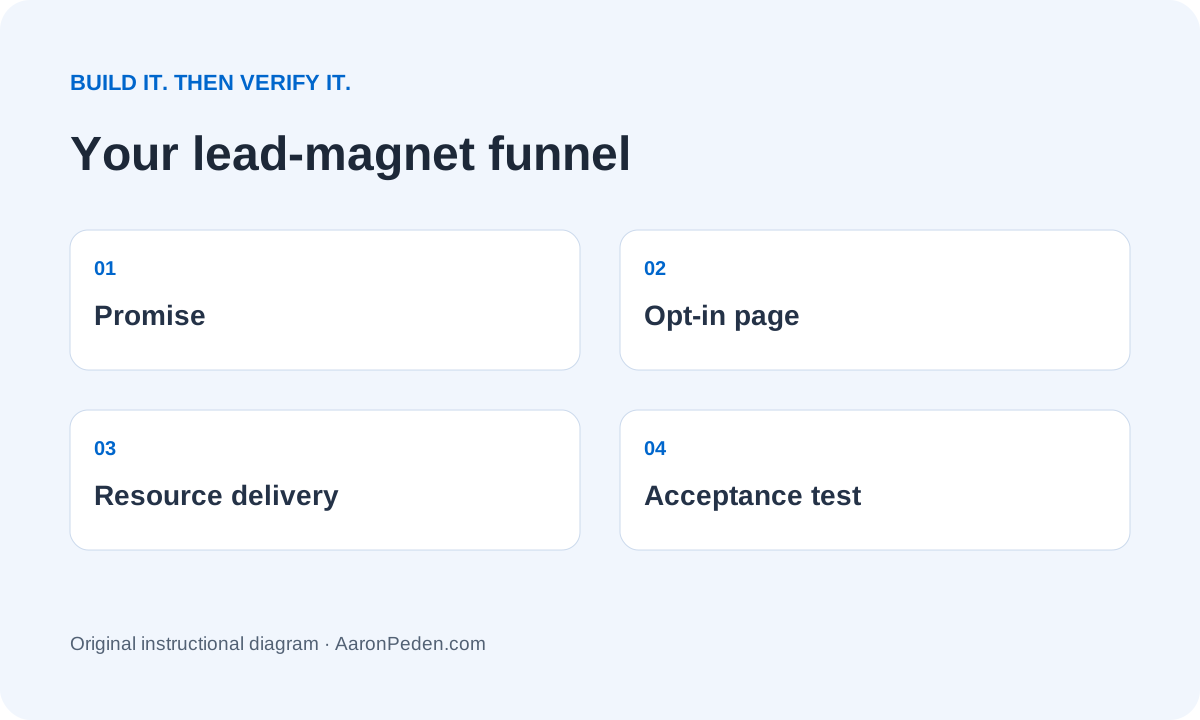
Is this the right tool for this job?
Use it when: you need a lightweight opt-in funnel and email delivery in one place, without stitching several new tools together.
Skip it when: your current website and email platform already capture consent, deliver the file and pass the acceptance tests. Do not rebuild merely for a template.
Simpler alternative: use your existing form, thank-you page and email tool. For an early low-volume test, deliver the promised resource manually to people who requested it.
Experience and evidence: This is a documentation-backed walkthrough with browser-tested teaching examples. The demonstrations below are our own examples, not recordings from a live customer account. I am not claiming this product produced Rocktomic’s or YourPeptideBrand’s results.
Affiliate disclosure: I may earn a commission if you buy through the optional Systeme.io link. That does not change the teaching or require a purchase. Read the full disclosure.
See whether Systeme.io fits this build ↗Before you start
Your output: A two-page lead-magnet funnel, one delivery email and a five-case acceptance log.
Access: Use an account you control and a test audience consisting only of addresses you own or people who explicitly agreed to testing. You need permission to publish the destination and, if applicable, manage the sending domain. Do not use customer records, credentials or a live mailing list in the practice resources.
Budget and effort: Reserve one focused setup session plus time to verify delivery, redirects or DNS. Plan limits, sending allowances and paid features change. Check the provider’s current pricing and your account before committing. Do the manual version first if a new subscription does not remove a real constraint.
01Define one promise and the smallest useful resource
Write the resource before opening the page editor. Northstar’s fictional example is a one-page Trial Enquiry Handoff Checklist for gym owners: record the enquiry source, assign a response owner and confirm the next action. It does not promise a number of memberships. The offer should name the audience, the job and the output. Read Module 01: offer creation if those are still vague.
Export a small, readable PDF or publish a read-only document. Check that an anonymous visitor can open it without requesting access. Put a version/date on it and remove customer names, internal links and personal metadata. A visually impressive cover does not compensate for missing instructions.
Verify this stepA stranger can explain what the resource helps them do, and the file opens in a signed-out browser.
02Create the two-page funnel
In Systeme.io, open Sites → Sales funnels → Create. Give it an internal name such as Northstar – Trial enquiry checklist, select a domain already available in your account and select Build an Audience. The documented structure includes an Opt-in page and a Thank you page. This is not the Sell/payment funnel; you do not need a checkout to deliver a free resource.
If you need a separate opt-in step, choose Add step → Type: Opt-in page → Save, select a template and open Edit page. Start with the existing hosted address if that is sufficient for testing; a custom domain is a later configuration decision, not proof the form works.
Verify this stepThe funnel has exactly the two intended public steps and you recorded each preview/public URL.
03Make the form match the promise
Use the headline “Stop trial enquiries getting lost between inboxes.” Under it, state “Get the one-page checklist to assign a response owner and next action.” Ask for email and, only if useful, first name. Keep one primary submission action. In the page editor, confirm the button submits the actual form and follows the intended next-step behavior; an ordinary link to the thank-you page would bypass collection.
Place a plain explanation of the delivery email and any separate follow-up beside the form. Link the relevant privacy information. Do not make unrelated marketing a hidden condition of resource access. Keep required fields and mobile error messages readable. Remove navigation that competes with this page’s single job.
Verify this stepAn empty or invalid email cannot pass; a valid owned test address follows the real submission path.
04Make the thank-you page useful even before the email arrives
Confirm the visitor reached the successful-submit state. Repeat the resource name, provide a direct resource link when appropriate, explain where to look for the email and give a real support route. Do not claim email receipt merely because the thank-you page appeared. A direct link is not suitable for confidential or licensed paid content, but it is practical for this free checklist.
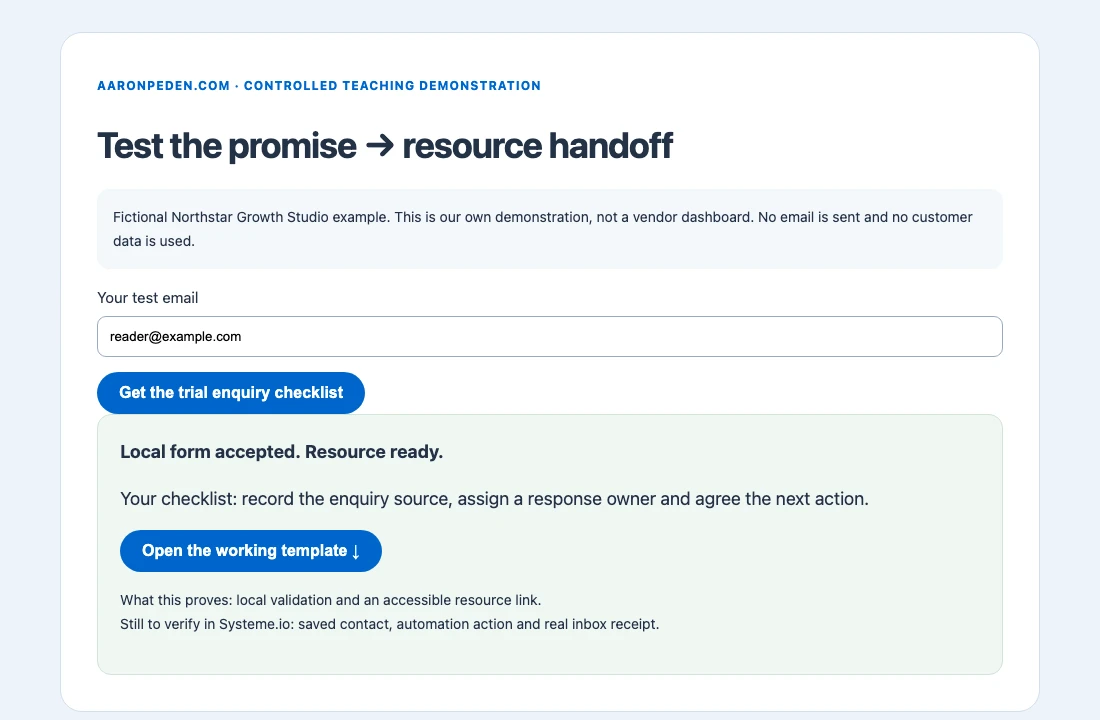
Our local demonstration below separates validation and delivery. It proves the example’s button and file path work, not that your Systeme.io contact list or email automation works. In your account, make those separate observations in the test log.
Verify this stepThe resource link returns the actual current file in a clean browser and the message does not falsely report inbox delivery.
05Connect the correct signup trigger to delivery
Open Automations → Rules → Create. In the Trigger column use Funnel step form subscribed, and select this exact opt-in step. In Action choose Send email, create the message and save the rule. This is the form-signup trigger, not New sale. Avoid leaving a test rule and a production rule both sending the same file.
Use a recognizable sender and a short subject: “Your trial enquiry handoff checklist.” Thank the reader for requesting it, link the current resource and explain one next action. Complete the provider’s sender verification/authentication before testing. Use the account’s current controls; never paste a generic DNS record over an existing working email configuration.
Verify this stepOne owned-address signup appears against the correct funnel step and produces one intended delivery action, not two.
06Run an acceptance test through the public page
Open the public opt-in URL signed out. Test empty fields, an invalid address, a valid address you control, the resource link and a repeat submission. Check the contact record and automation activity, then independently confirm the message in the receiving Inbox or spam folder. Open its resource link from the receiving mailbox, including on a phone. A provider’s “sent” event is not proof of inbox placement.
Record timestamp, input type, expected result, observed result and the evidence location. A duplicate signup may be handled differently by your account’s rules; document the actual behavior and remove unintended repeat delivery. Systeme.io’s documentation notes a maximum of 20 trigger activations per contact, so do not loop the same contact indefinitely for load testing.
Verify this stepYou can reconcile successful form acceptance, the intended automation action and real recipient receipt as three separate observations.
07Publish a small test and carry the output forward
Save a baseline screenshot and your acceptance log before adding traffic. Monitor accepted signups, resource access and useful replies separately. Do not call a download a paying customer. If you paid for traffic, set an affordable stop rule and reconcile the accepted signups against your source of truth from Module 04: attribution.
Keep the original page and resource version when testing a change to the promise. Review the funnel after a form edit, domain change, file replacement or sender change. Move into Module 05: lead magnets with the actual page, resource and delivery evidence—not just a screenshot of the editor.
Verify this stepThe owner, current URLs, resource version and retest triggers are recorded in the downloadable acceptance log.
FICTIONAL NORTHSTAR GROWTH STUDIO EXAMPLE
Inputs → build → output → interpretation
Input: one requested PDF, one owned test address and the promise above. Method: submit the public form, follow the thank-you route, inspect acceptance and automation records, then open the received email. Output: a page URL, a resource URL and dated evidence for each handoff.
Interpretation: a successful request proves a working delivery path for that case. It does not establish demand, revenue or general email deliverability. The browser sample demonstrates only client-side validation and an accessible local resource; repeat the full account checks yourself.
When the build does not work
| Symptom | Likely cause | What to check next |
|---|---|---|
| The thank-you page opens but no contact appears | The CTA may be a normal link | Inspect the button action; repeat with a new owned test address and check the exact funnel step. |
| Two emails arrive | Two rules or campaign enrollments may overlap | Review active rules and subscriptions before changing the page. |
| The email exists in activity but not the Inbox | Sending and receipt are separate | Check spam, sender authentication, suppression and the receiver; do not repeatedly blast the address. |
| File requires permission | The document is private or URL is stale | Open the exact email link in a signed-out browser and fix its sharing/version. |
Keep your build and evidence together
Download the implementation template. Replace the fictional inputs with your own supported decisions. Keep your test results beside the build so someone else can reproduce the checks.
Download the funnel acceptance log ↓Write your implementation brief
Browser-only. No saving, sending or analytics collection of these inputs. Use fictional or non-sensitive planning information.
Done means you can demonstrate these checks
These checkboxes are temporary. Download your evidence before leaving; nothing typed into the workbench is sent to the server.
Implementation questions
Do I need to buy a custom domain first?
Not to plan the funnel or test an available hosted URL. Confirm your account’s current domain and sending requirements before making a purchase.
Should I add Sender as well?
Not if Systeme.io’s existing email delivery meets this job. Sender is an alternative for a separate email stack, not a required second purchase.
Can this guarantee more customers?
No. It verifies a delivery path. The promise, audience, traffic and downstream offer still need their own tests.
OPTIONAL SOFTWARE · ONLY IF THE FIT IS RIGHT
Use the tool to complete the task.
Systeme.io is a sensible option when you need a lightweight opt-in funnel and email delivery in one place, without stitching several new tools together.
Keep the simpler alternative if your current setup already passes the checks. Do not migrate a working system merely to follow this tutorial.
Affiliate link: I may earn a commission on an eligible purchase. Current plans and limitations are set by the provider; no discount or performance result is promised.
Build this funnel with Systeme.io ↗Sources and review scope
Instructions checked against official documentation on November 1, 2026. Interface labels and account entitlements may change. Official pages below include provider-interface screenshots; use them if the control has moved. A linked official screenshot is not evidence that our teaching example ran in a paid account.
- Systeme.io: create a funnel
- Systeme.io: create an opt-in page
- Systeme.io: automation rules and form-signup trigger
Review again when the interface, plan entitlement, consent settings or integration changes. Re-run the ordinary and failure checks after any change.
Bring the output back into your Blueprint.
Software setup is one implementation detail. Continue the course with your actual deliverable, remaining uncertainty and test evidence.
See the complete build order · Compare tools by the job they solve