Practical software tutorial / build and verify
Build consistent campaign links with Replug—and verify what clicks actually mean
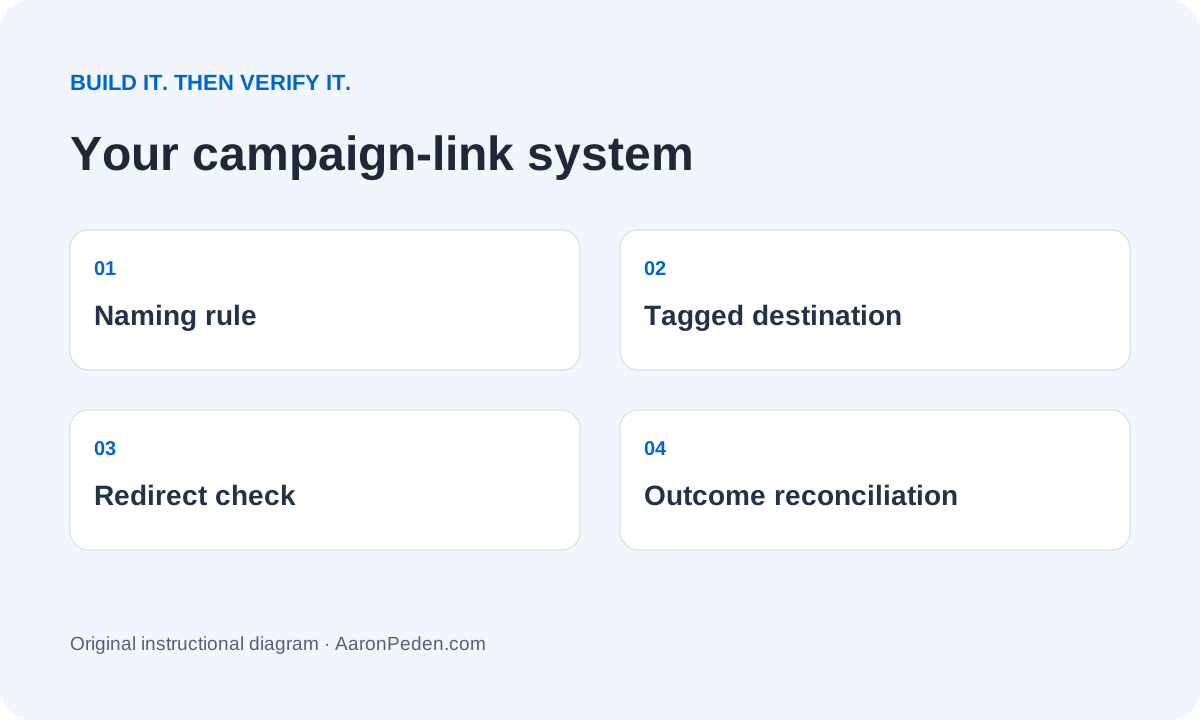
Create a clean UTM naming system, build a tagged destination and test the redirect. Then reconcile link clicks with accepted leads instead of calling every click a conversion.
By Aaron Peden · Published · Updated November 1, 2026
BUILD IT · TEST IT · KEEP THE OUTPUT
Create a clean UTM naming system, build a tagged destination and test the redirect. Then reconcile link clicks with accepted leads instead of calling every click a conversion.
Is this the right tool for this job?
Use it when: you manage enough campaign links to need consistent naming, editable short-link destinations or a maintained branded-link library.
Skip it when: you only need one tagged URL or your existing link inventory already solves the job. A short link is not required for campaign attribution.
Simpler alternative: use a documented UTM convention, a simple spreadsheet and the free local URL builder below. No Replug account is needed to produce a tagged URL.
Experience and evidence: This is a documentation-backed walkthrough with browser-tested teaching examples. The demonstrations below are our own examples, not recordings from a live customer account. I am not claiming this product produced Rocktomic’s or YourPeptideBrand’s results.
Affiliate disclosure: I may earn a commission if you buy through the optional Replug link. That does not change the teaching or require a purchase. Read the full disclosure.
See whether Replug fits this build ↗Before you start
Your output: A campaign-link inventory, one validated tagged URL and a redirect/reconciliation test log.
Access: Use an account you control and a test audience consisting only of addresses you own or people who explicitly agreed to testing. You need permission to publish the destination and, if applicable, manage the sending domain. Do not use customer records, credentials or a live mailing list in the practice resources.
Budget and effort: Reserve one focused setup session plus time to verify delivery, redirects or DNS. Plan limits, sending allowances and paid features change. Check the provider’s current pricing and your account before committing. Do the manual version first if a new subscription does not remove a real constraint.
01Write the measurement question before creating the link
Start with a question such as “Did the newsletter’s checklist button produce accepted enquiries?” Define the final landing page and the accepted outcome separately. A click in a link platform is not a submission accepted by your server, a qualified opportunity or a payment. Use Module 04: attribution to establish the source of truth first.
In the fictional example, Northstar sends a permission-based newsletter to a checklist page. The campaign should distinguish that link from a social post to the same page. It should not identify the subscriber in a public URL. Do not put emails, names, phone numbers or secret tokens into UTM values.
Verify this stepThe inventory names the source, destination, outcome and authoritative record without exposing a person.
02Choose a small controlled vocabulary
Use lowercase source, medium and campaign values. For this example, source is newsletter, medium is email, campaign is trial-checklist, and content is primary-button. Source identifies where; medium identifies the channel; campaign groups the initiative; content distinguishes placements within it. Use term only when it has a deliberate meaning, such as a paid-search keyword.
Keep a short allowed-values list beside the inventory. “Newsletter”, “newsletter” and “email-list” may fragment a report if different people use them for the same source. Decide the convention before copying URLs. Never add campaign UTMs to ordinary internal navigation just to decorate reports; that can muddle acquisition interpretation.
Verify this stepTwo teammates can independently build the same campaign URL from the same brief.
03Build the destination URL without losing existing parameters
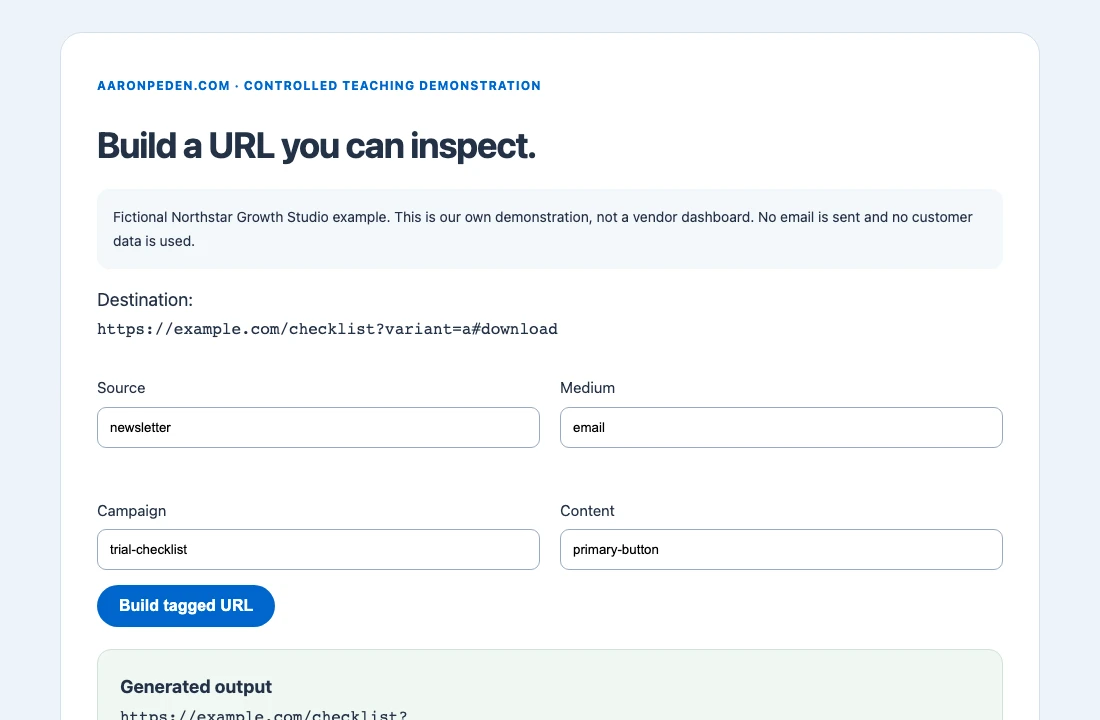
Use the local builder below or Replug’s public UTM builder. Start with the full HTTPS destination, including any legitimate existing query parameters and fragment. Add the controlled values and inspect the output. Our browser-only builder preserves unrelated query parameters and the fragment, explicitly sets these UTM keys and refuses credentials or non-HTTPS schemes.
For practice use https://example.com/checklist?variant=a#download. This is a reserved example domain, not a live Northstar funnel. Replace it with your own verified destination for a real test. Do not rewrite an issued affiliate link, signed URL or another publisher’s tracking parameters without understanding the contract. A generated URL is not automatically a valid commercial tracking link.
Verify this stepThe output contains variant=a, the chosen UTM keys and #download, with no personal information or double question mark.
04Optionally create the managed short link in Replug
If you need a maintained link library, open the current Replug link-creation flow and supply the destination. Official Replug documentation shows an option to add parameters while creating a short link and a panel for saved presets or new UTM values. Use either the already-tagged destination or that panel deliberately; inspect the final URL to avoid conflicting repeated values.
Choose the domain available in your account and a meaningful slug, then save. A custom branded domain requires domain ownership and the provider’s current DNS instructions. Do not change unrelated website or email records merely to follow this tutorial. Leave optional retargeting, CTA overlays and routing experiments off for this first tracking test; they add separate consent and QA requirements.
Verify this stepThe saved link points to the exact destination you reviewed, with the intended UTM values after redirect.
05Test the redirect and the landing-page behavior
Open the short link in a clean browser and inspect the final address. Test desktop and phone. Confirm the right page, expected query values and working fragment/resource. If a site redirects to a canonical page, verify that it preserves the necessary query parameters. For high-value campaigns, record the redirect chain and status codes with developer tools or a maintained HTTP check.
Test an unavailable or deliberately held destination before distribution so you know the recovery path. Do not claim a link-management tool automatically preserves UTMs through every downstream redirect. Check caching after a destination change. Maintain an owner and rollback destination, especially if the short link has already been printed or sent.
Verify this stepA human can follow the full path to the correct working destination; the inventory records the observed final URL.
06Reconcile clicks, sessions and accepted enquiries
Use the same reporting window and timezone when comparing Replug, analytics and your lead system. Link scanners, bots, repeated visits, privacy choices and redirects can cause counts to differ. A shortener may see a request when analytics never runs; a receiver’s security scanner may follow the link before the person does. Do not force different measures to agree by renaming clicks as leads.
The worked example below uses fictional totals: 100 link requests, 72 measured landing sessions, 12 accepted enquiries, 5 qualified and 2 customers. These are different observations. If campaign cost was $240, cost per accepted enquiry would be $20 and acquisition cost would be $120 per customer. Neither figure establishes profit. Investigate unexplained differences before scaling.
Verify this stepYour report keeps each denominator separate and traces accepted outcomes to the appropriate source records.
07Keep the inventory and change history usable
Record a stable link ID, owner, creation date, short URL, full destination, UTM values, last test and any destination change. Keep the old destination and reason for an edit. If someone retries an uncertain save, inspect whether the link already exists before creating a second version and splitting measurement.
Review when the landing page, domain, campaign naming, tracking consent or offer changes. For one campaign a spreadsheet may remain the best tool. Replug becomes more compelling when maintaining and changing many links is the actual constraint. Carry the inventory into Module 15: paid ads before putting money behind an untested destination.
Verify this stepAnother teammate can identify the current destination, reproduce the test and restore the prior intended route.
FICTIONAL NORTHSTAR GROWTH STUDIO EXAMPLE
Inputs → build → output → interpretation
| Measure | Count | What it establishes |
|---|---|---|
| Link requests | 100 | Requests observed at the link layer; not necessarily people. |
| Measured landing sessions | 72 | Sessions observable under the analytics setup/consent. |
| Accepted enquiries | 12 | Server/CRM acceptance under the defined rule. |
| Customers | 2 | Verified acceptance/payment event; not profit. |
Input: the example URL and a four-field naming convention. Method: generate the URL, inspect the redirect, then reconcile stage-specific observations. Output: a maintained link record and an evidence log. Interpretation: click volume helps diagnose distribution; accepted enquiries and customers require their own evidence. The browser screenshot is our actual local builder, not the Replug dashboard.
When the build does not work
| Symptom | Likely cause | What to check next |
|---|---|---|
| The final page has no UTMs | A redirect or copied destination dropped them | Compare the saved destination with each redirect and the observed final URL. |
| Clicks exceed sessions | Scanners, bots, consent or analytics behavior differ | Compare definitions and periods before inferring lost traffic. |
| One campaign appears under several names | The naming convention was not enforced | Reconcile spelling/case and use a maintained allowed-values list. |
| The URL builder rejects the input | The URL is invalid, non-HTTPS or embeds credentials | Use a plain owned HTTPS destination without login credentials; do not weaken the validation. |
Keep your build and evidence together
Download the implementation template. Replace the fictional inputs with your own supported decisions. Keep your test results beside the build so someone else can reproduce the checks.
Download the campaign-link inventory and QA log ↓Build and inspect a campaign URL
Browser-only. No saving, sending or analytics collection of these inputs. Use fictional or non-sensitive planning information.
Done means you can demonstrate these checks
These checkboxes are temporary. Download your evidence before leaving; nothing typed into the workbench is sent to the server.
Implementation questions
Do I need Replug to add UTMs?
No. The local builder and a spreadsheet are enough for a simple campaign. Evaluate Replug when link management, branded domains or destination maintenance becomes a real need.
Can I tag every internal link?
Avoid doing that for acquisition reporting. Use your analytics event/design approach for internal navigation rather than giving it a new campaign source.
Does a correct URL prove sales attribution?
No. It proves URL construction. You must verify the redirect, analytics/consent behavior and accepted downstream outcomes separately.
OPTIONAL SOFTWARE · ONLY IF THE FIT IS RIGHT
Use the tool to complete the task.
Replug is a sensible option when you manage enough campaign links to need consistent naming, editable short-link destinations or a maintained branded-link library.
Keep the simpler alternative if your current setup already passes the checks. Do not migrate a working system merely to follow this tutorial.
Affiliate link: I may earn a commission on an eligible purchase. Current plans and limitations are set by the provider; no discount or performance result is promised.
Manage these campaign links with Replug ↗Sources and review scope
Instructions checked against official documentation on November 1, 2026. Interface labels and account entitlements may change. Official pages below include provider-interface screenshots; use them if the control has moved. A linked official screenshot is not evidence that our teaching example ran in a paid account.
- Replug: UTM parameters and link presets
- Replug: public UTM builder
- Google Analytics: collect campaign data
Review again when the interface, plan entitlement, consent settings or integration changes. Re-run the ordinary and failure checks after any change.
Bring the output back into your Blueprint.
Software setup is one implementation detail. Continue the course with your actual deliverable, remaining uncertainty and test evidence.
See the complete build order · Compare tools by the job they solve